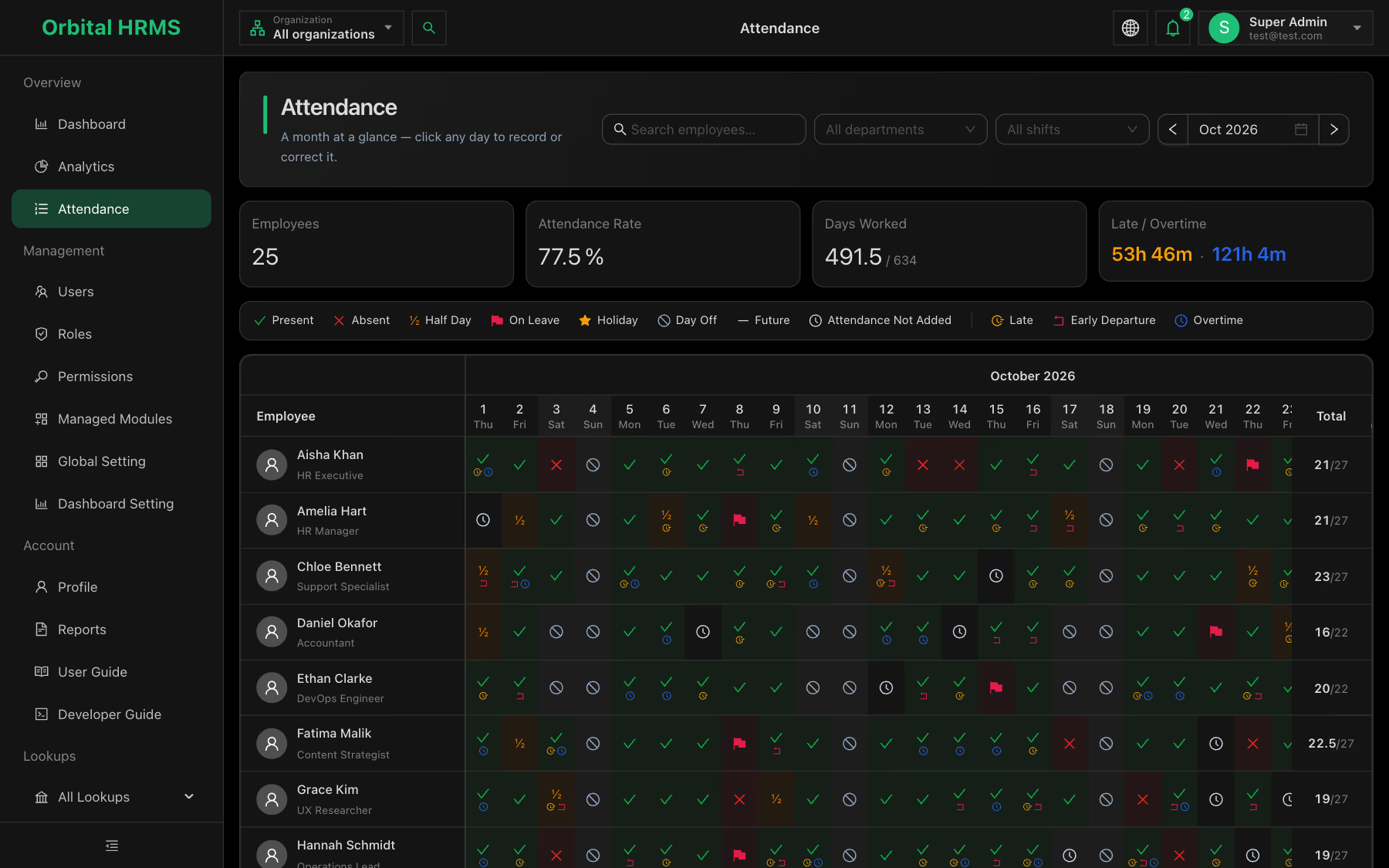
The actual product with demo data: a month of attendance for a 25-person team on one screen.
What is HRMS software, in plain words?
HRMS software (human resource management system software) is one application that stores employee records and runs day-to-day HR work such as attendance, shifts, leave rules and access control, so HR stops copying the same data between spreadsheets.
HRMS stands for Human Resource Management System. You will also see the terms HRIS (human resource information system) and HCM (human capital management). Vendors use them loosely. The table shows how most buyers tell them apart, and where Orbital HRMS fits.
Want the long version? Read our guide to choosing HR management software.
| Term | Usual focus | Typical buyer |
|---|---|---|
| HRIS | Storing employee data: who works here, in which role, since when | Small teams replacing a spreadsheet |
| HRMS | Employee data plus daily HR operations: attendance, shifts, leave rules, access | Growing companies where HR runs every day |
| HCM | HRMS plus talent: hiring, performance, learning, workforce planning | Large enterprises |
| Orbital HRMS | Core HR records, attendance, shifts, leave policies, roles and multi-company structure | SMBs and multi-entity groups |
One HR management system. Three problems gone.
Most HR teams do not lack effort. They lack one trusted place where the data lives. That is the job of HR management software.
No more scattered records
Personal details, job, reporting line, bank and tax data and documents live in one employee record instead of five files and an inbox.
No more month-end guesswork
Attendance is recorded against each person's real shift, so present days, half days, late minutes and overtime add up on their own.
No more "who can see this?"
Role based access control decides who can view, create, edit or delete each part of HR, and every company's data sits in its own database.
Every module, shown as it really is.
No mockups. These are screens from Orbital HRMS, loaded with a demo company.
One record per person. Zero copies.
The employee management module is the core of the HRMS. Add a person once through a guided five-step profile and every other module reads from that same record.
- ✓ Personal, employment, contact, banking and document steps in one flow
- ✓ Employee codes, departments, designations, reporting managers and probation dates
- ✓ Deactivate or block an account and sign-in stops immediately
The whole month, at a glance.
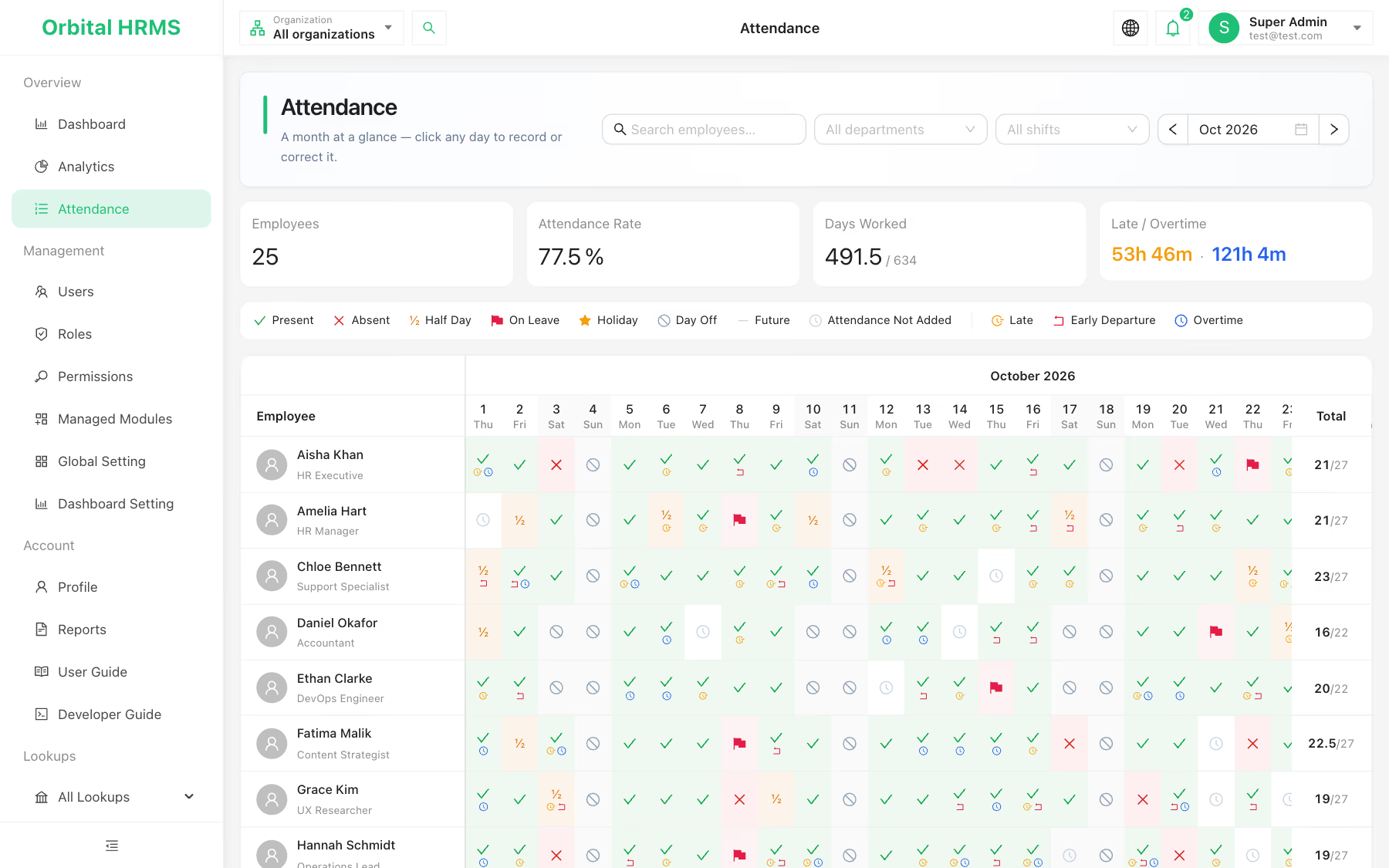
The attendance management system shows every employee against every day of the month. HR clicks any day to record or correct it, and the totals update as they go.
- ✓ Present, absent, half day, on leave, holiday and day off, colour coded
- ✓ Check-in, check-out, late arrival, early departure and overtime per day
- ✓ Live attendance rate, days worked and late or overtime totals
Shifts that match how you really work.
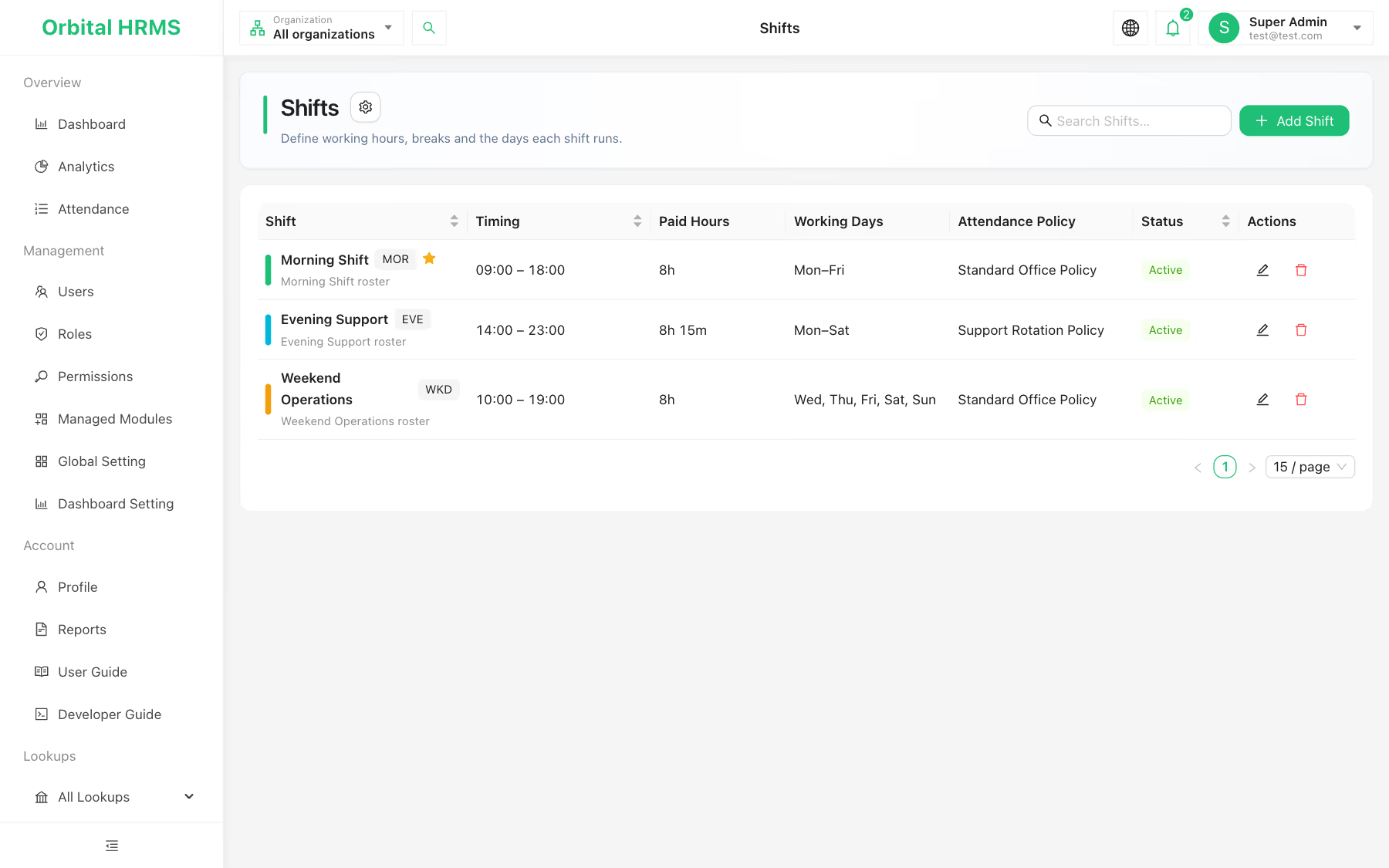
Define each shift once: start and end time, unpaid break, working days and the attendance policy that applies. Overnight shifts are supported.
- ✓ Paid hours worked out from timings and breaks
- ✓ A default shift for new joiners and a colour for every roster
- ✓ Days off come from the roster, so weekends never count as absences
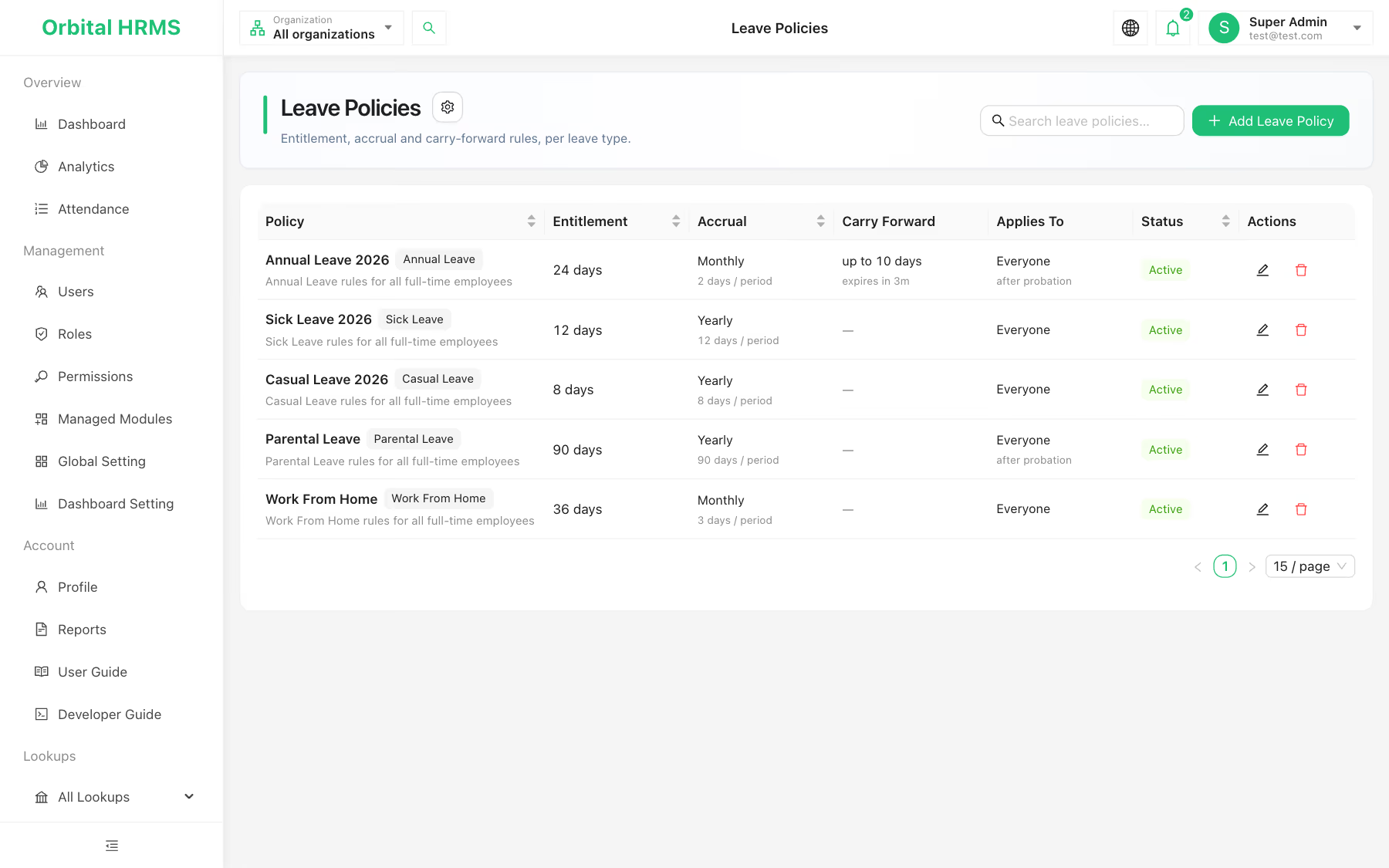
Leave rules written once, applied the same way.
The leave policy engine turns your handbook into settings. Pick a leave type, then set how much is earned, how it builds up and what happens at year end.
- ✓ Annual entitlement with monthly, quarterly, half-yearly or yearly accrual
- ✓ Carry forward limits, expiry and encashment caps
- ✓ Paid or unpaid, minimum notice, maximum consecutive days, probation and service rules
- ✓ 15 leave types ready to use, from annual and sick leave to sabbatical and work from home
Employee leave requests and manager approvals are on the roadmap. Today the module manages the policies themselves.
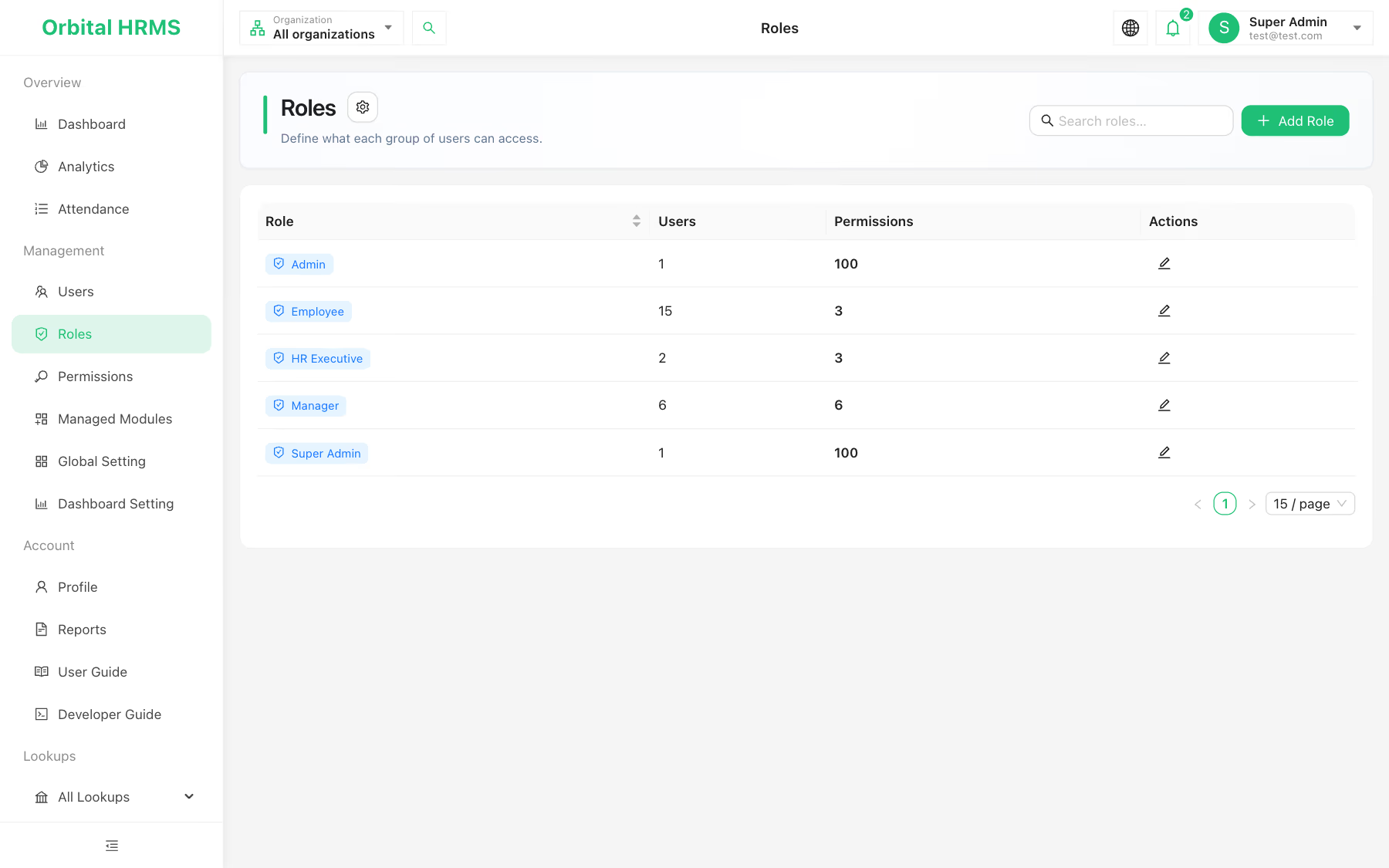
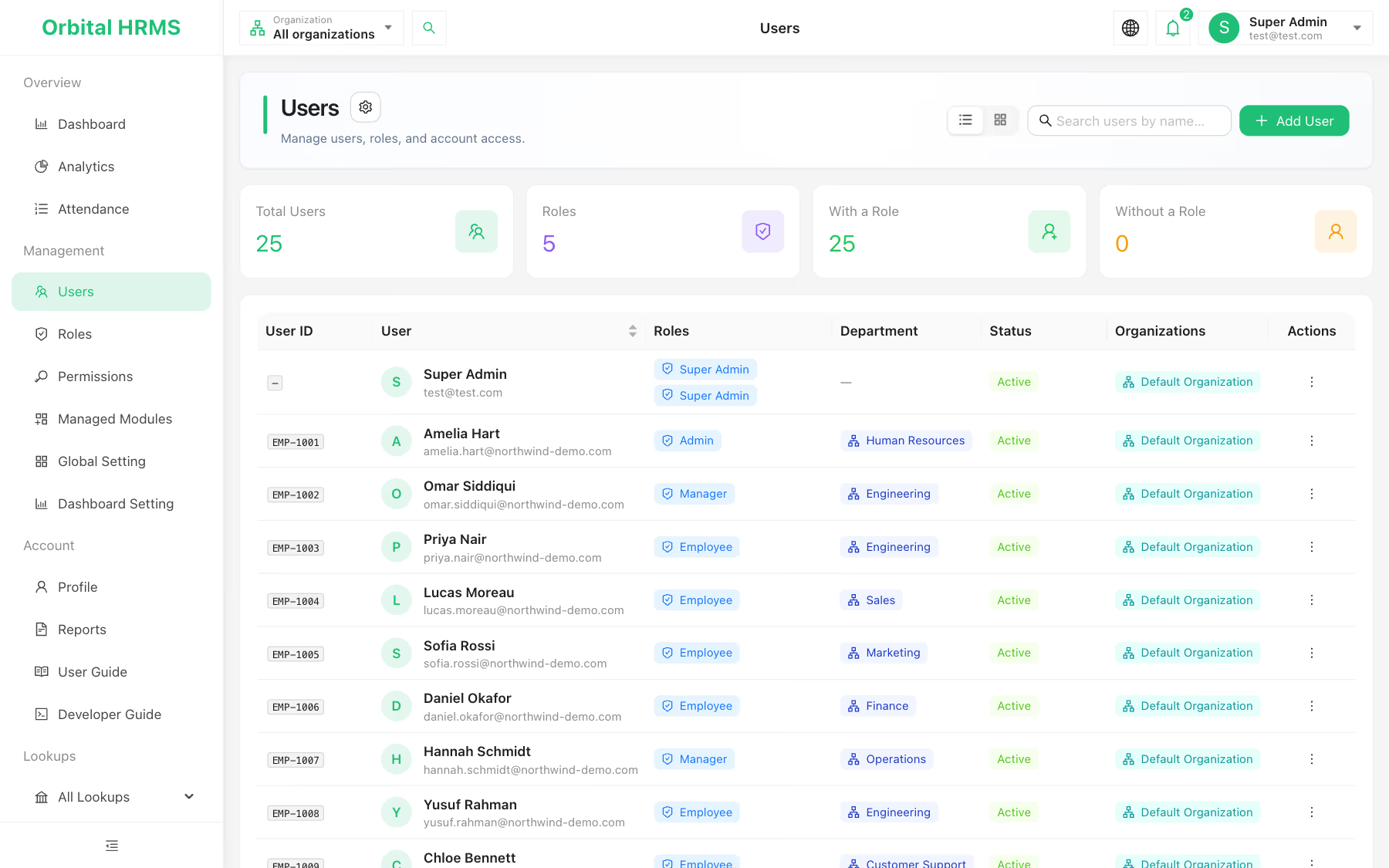
5 · Roles. Create roles such as HR Executive or Manager and assign them to people. The menus and pages each user can open follow their role.
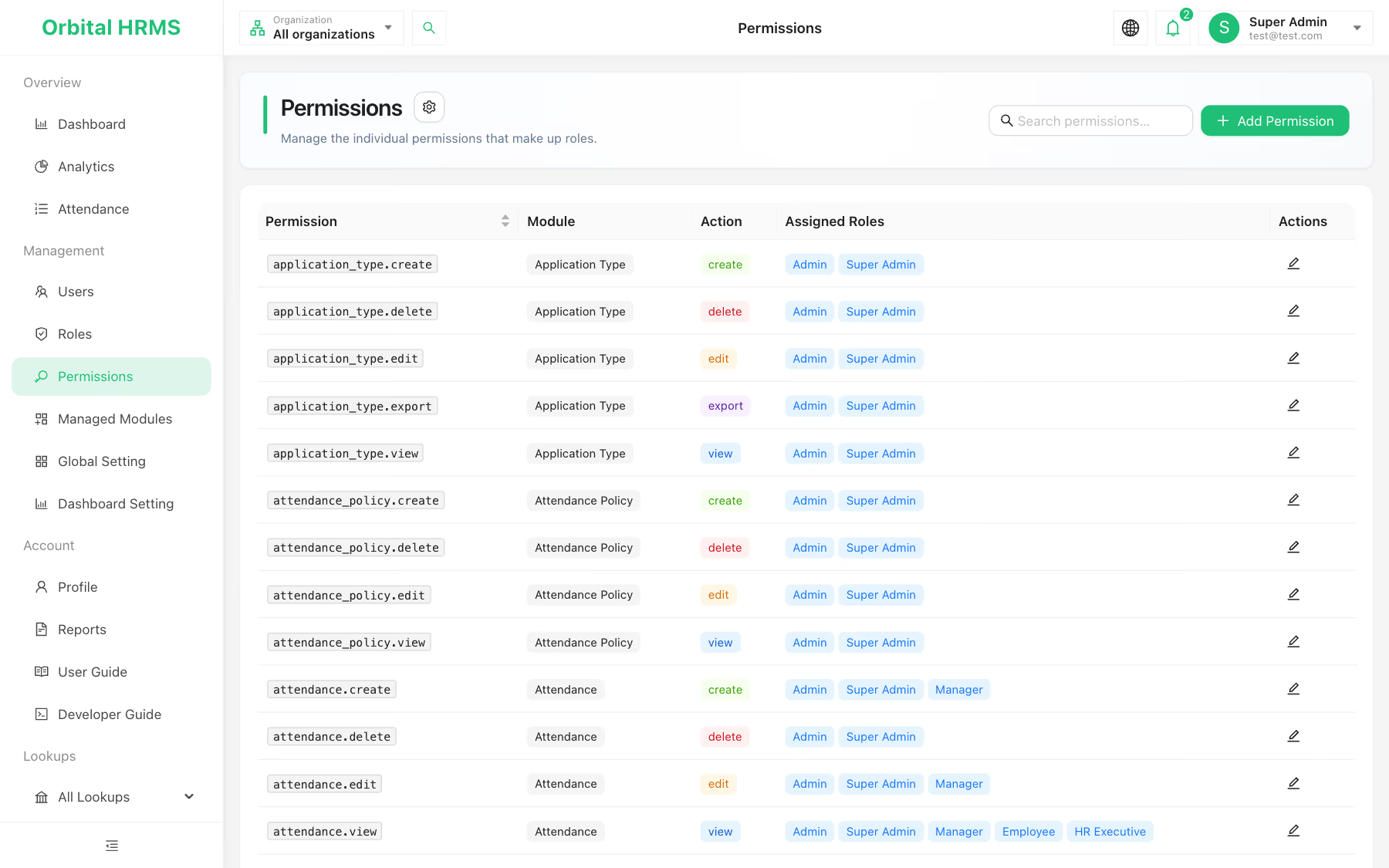
6 · Permissions. Every module has view, create, edit and delete permissions, checked on the server for every request, not just hidden in the menu.
The details a good HRMS system gets right.
Multi-company structure
Run several organizations, nested under a parent if you like. People can belong to more than one, and departments nest inside each.
Employee documents
Upload contracts, IDs, visas and certificates to each record with issue and expiry dates, sorted by document type.
Encrypted bank details
Account numbers and IBANs are encrypted in the database, so a raw data dump never shows them in plain text.
Safe "view as" support
A Super Admin can see the system as a given user to fix a problem. A banner shows the whole time, credentials stay locked and every session is logged.
Role-based dashboards
Choose which dashboard widgets each role can see, so managers and HR each open the view that suits them.
English and French
Each user picks their language. Light and dark themes and your brand colour come built in.
Hardened sign-in
Strong password rules, sign-in rate limits, HTTPS everywhere and strict security headers on every response.
Custom modules, fast
Need a register the product does not ship? Our team uses the built-in Module Builder to add it, with its own permissions, in days rather than months.
Built-in user guide
Step-by-step help lives inside the app, so new HR staff learn the system without a training session.

A cloud HRMS built like a vault, not a shared drive.
Employee data is the most sensitive data a company holds. Orbital HRMS keeps each customer apart at the database level and checks permissions on every request.
- ✓Database per company. Each workspace gets its own database, cache, file storage and job queue.
- ✓Role based access control. Permissions follow the role model described in NIST's RBAC research, enforced in the API and again in every form.
- ✓Encryption where it matters. Bank account numbers and IBANs are encrypted at rest. The admin password set during setup is wiped once the workspace is ready.
- ✓Abuse protection. Sign-in attempts and API calls are rate limited per user and per IP address.
Why HR management software pays for itself.
Findings from independent sources, and what each one means for an HR team choosing a system.
| Finding | Source | What it means for HR |
|---|---|---|
| Only 20% of employees worldwide were engaged at work in 2025, costing an estimated $10 trillion in lost productivity | Gallup, State of the Global Workplace 2026 | Time spent on admin is time not spent on people. Clean records free HR for the work that moves engagement. |
| Leader and manager development was HR leaders' top priority for 2025, for the third year running | Gartner HR priorities survey | Managers need reliable data on their teams. Role based access gives each manager their own view without exposing everyone else's. |
| US employers must keep time records for at least 2 years and payroll records for at least 3 years | US Department of Labor, Fact Sheet #21 | A searchable attendance history, stored with the shift in force each day, is far easier to produce than a folder of spreadsheets. |
| Each of five common health risk factors costs US employers more than $2 billion a year in absenteeism | CDC, Preventing Chronic Disease (2016) | You cannot manage absence you cannot see. A monthly attendance matrix shows patterns by person, team and shift. |
| Studies for NIST estimated role based access control saved industry about $1.1 billion | NIST Computer Security Resource Center | Granting access by role instead of person by person is cheaper to run and safer to audit. |
From spreadsheet to HRMS in four steps.
- 1. Discovery call. We map your companies, departments, shifts and leave rules in 30 minutes.
- 2. Your workspace. We provision your own database and brand the app in your colours.
- 3. Data and policies. We load your employee list with you and configure shifts, attendance and leave policies.
- 4. Go live. Roles are assigned, your HR team is trained, and the spreadsheet retires.

Teams that outgrew the spreadsheet
- ✓ SMBs with 10 to 100 people and one busy HR lead
- ✓ Groups running several companies or branches
- ✓ Shift-based teams: support centres, operations, retail and logistics
What we are building next, said out loud.
Everything above works today. These are in development, and customers help decide the order.
Three plans. Flat fee. No per-seat games.
Up to 10 seats
- Employee records and directory
- Departments and designations
- Attendance matrix
- Shift scheduling
- Employee documents
Up to 25 seats · every module turned on
- Everything in Lite
- Leave policy engine
- Attendance policies
- Custom roles and permissions
- Multiple organizations
- Role-based dashboards
Up to 100 seats · custom workflows
- Everything in Pro
- Custom modules built for you
- Data loading done for you
- Dedicated CSM
- SLA + uptime guarantee
HRMS questions people ask Google first.
Answered by the Orbital Technologies product team that builds and supports Orbital HRMS. Last reviewed November 2026.
Ask us anything →