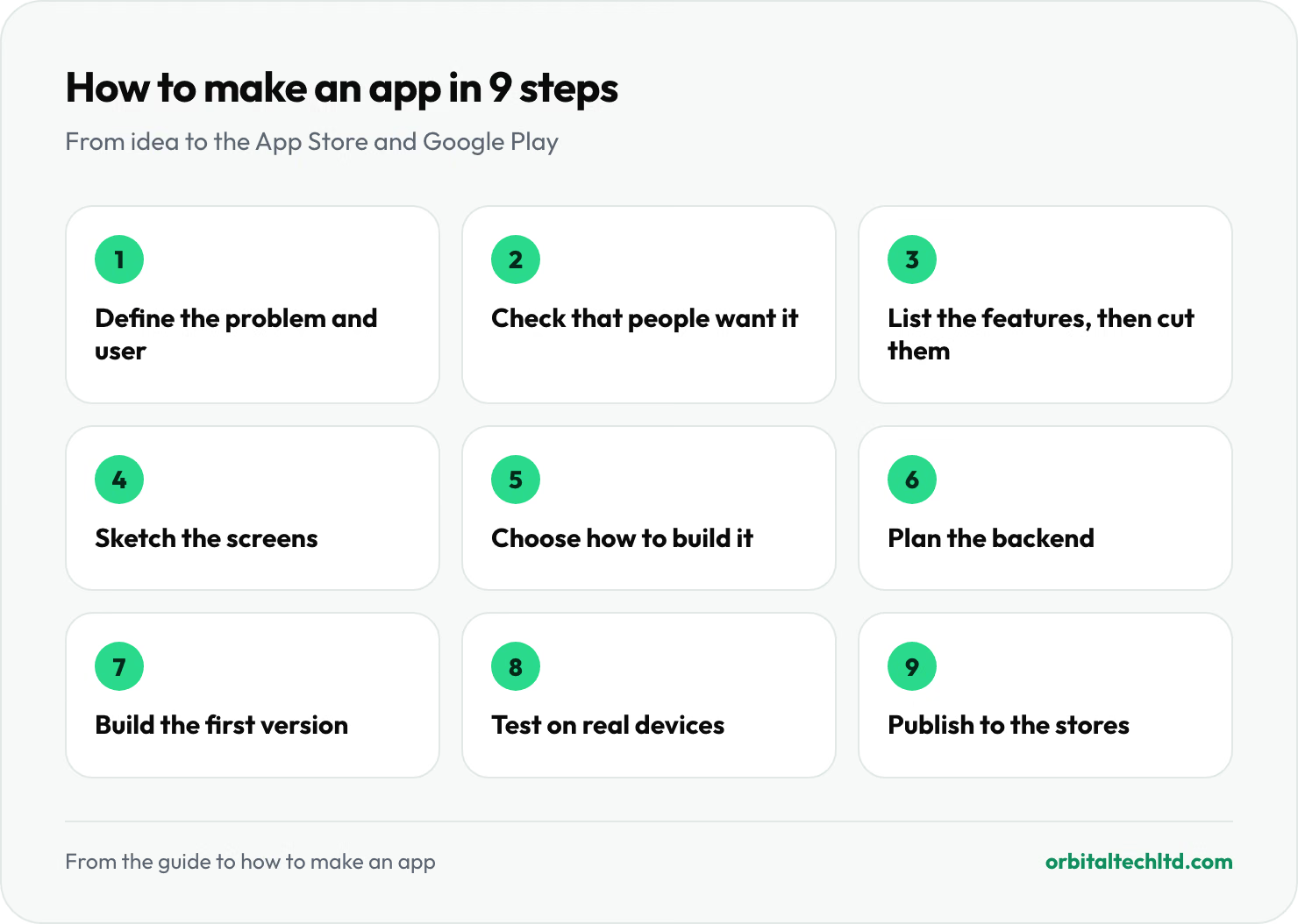
Short answer: to make an app, decide the one problem it solves, check that people want it, sketch the screens, choose how to build it (a no-code tool, a cross-platform framework or native code), build a small first version, test it on real phones, and publish it to the App Store and Google Play. A simple app can be built in weeks; most business apps take a few months. The nine steps below take you from idea to launch, with what each one costs in time and money.
This guide is for founders and business owners making an iPhone or Android app, whether you build it yourself or hire a team. For prices in detail, see our guide to how much it costs to build an app.
Step 1: Define the problem and the user
Write one sentence: who the app is for, and what it lets them do that they cannot do well today. "Dog walkers can see and book open slots in their area" is a starting point; "an app for pet owners" is not. Every later decision, from features to budget, comes back to this sentence.
Step 2: Check that people want it
Before building anything, test demand cheaply:
- Talk to ten potential users about how they solve the problem today, and what that costs them.
- Look at the competition in the App Store and Google Play. Read the one- and two-star reviews: they list what users wish existed.
- Put up a landing page with a waitlist or pre-order and see whether anyone signs up.
Step 3: List the features, then cut them
List everything the app could do, then keep only what proves the idea. A first version usually needs sign-up and login, the one core feature, and a way for you to manage it behind the scenes. Everything else goes on a list for version two. Our guide to MVP development costs covers how to scope a first version.
Step 4: Sketch the screens
Draw each screen and how the user moves between them, on paper or in a design tool such as Figma. Then turn the sketches into a clickable prototype and put it in front of a few real users. Fixing a confusing flow at this stage costs minutes; fixing it after it is built costs days.
Step 5: Choose how to build it
| Approach | Best for | Trade-off |
|---|---|---|
| No-code app builder | Simple apps, internal tools, early tests | Fast and cheap to start, but limited and hard to move away from later |
| Cross-platform (Flutter, React Native) | Most business and consumer apps | One codebase for iPhone and Android; the usual choice today |
| Native (Swift for iPhone, Kotlin for Android) | Apps that need the newest platform features, heavy graphics or deep hardware access | The closest fit to each platform, but built and maintained twice |
Also decide whether it needs to be an app at all. A web app that works well on phones is cheaper to build and update and needs no store review. Build a mobile app when people will use it often, need notifications, or need the camera or location.
Step 6: Plan the backend
Most apps need more than screens. Accounts, saved data, payments, notifications and an admin panel all live on a server, called the backend, and it often takes as much work as the app itself. Use existing services where you can: sign-in, payments, push notifications and analytics are all available off the shelf, and cost far less than building them.
Step 7: Build the first version
Build in short cycles, such as two weeks, and try the app on real phones at the end of each one. Whether you build it yourself or hire a team, insist on seeing working software regularly rather than waiting for a big reveal at the end.
As a guide to effort, a first version with accounts and a basic backend is typically 400 to 900 hours of design, development and testing. At the US median wage for software developers of $64.44 an hour in May 2025, according to the US Bureau of Labor Statistics, that is a substantial investment, which is why steps 2 and 3 matter so much.
Step 8: Test it properly
- On real devices: older and newer phones, small and large screens, iPhone and Android.
- On real networks: slow and patchy connections, not just office Wi-Fi.
- With real users: a small beta group through Apple's TestFlight or Google Play's testing tracks catches what your team will miss.
Step 9: Publish to the App Store and Google Play
To publish, you need a developer account on each store: the Apple Developer Program costs $99 a year, and Google Play charges a one-time $25 registration fee. Each store reviews your app against its rules before it goes live, so prepare screenshots, a description, a privacy policy and test login details for the reviewers.
If you sell digital content or subscriptions inside the app, the stores take a fee: 15% for developers in Apple's Small Business Program, and a 15% Google Play service fee on a developer's first $1M of earnings each year.
After launch: keep it alive
An app needs regular updates to keep working. Apple and Google release a major new operating system every year, and Google Play sets a minimum Android version apps must target: since 31 August 2026, new apps and updates must target Android 16, according to Google's target API requirements. Budget for fixes, updates and the second round of features your first users ask for.
Should you build it yourself or hire a team?
- Build it yourself if you or a co-founder can code, the app is simple, or you are testing an idea with a no-code tool.
- Hire a freelancer for a well-defined, smaller app, and be ready to manage the project yourself.
- Hire an agency when you need design, backend and mobile development together, a fixed scope and someone accountable for the whole thing.
Whoever builds it, make sure you own the code, the developer accounts and the server from day one.
How we build apps at Orbital
We build iPhone and Android apps from one Flutter or React Native codebase, with the backend and admin panel to run them. Every project starts with a week of discovery, and within 72 hours you get a written plan with the scope, milestones and a costed estimate. We then build in two-week sprints with a demo each time, and you own the code and the accounts it runs on. See our mobile app development services, or MVP development if you are testing a new idea first.