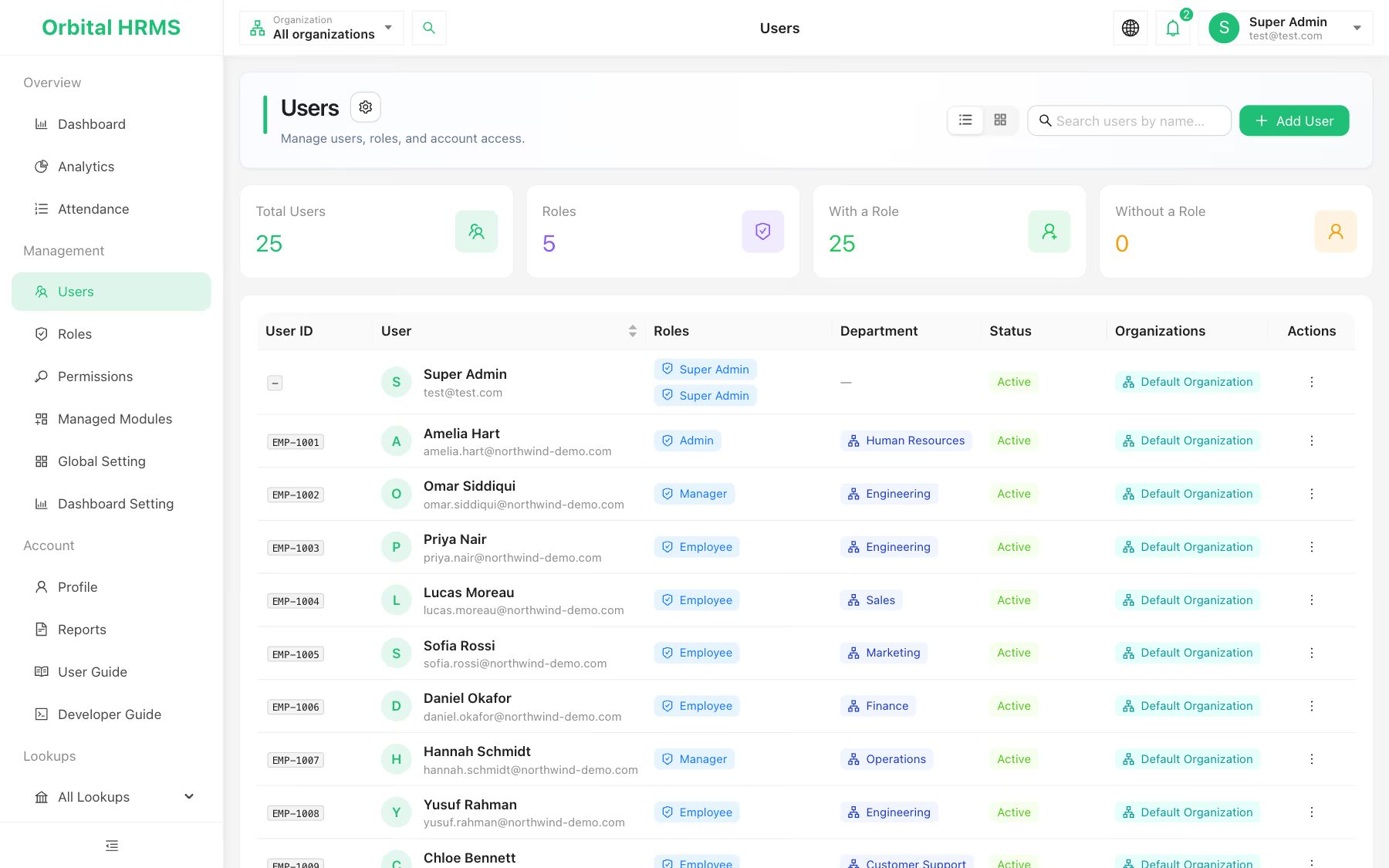
The employee directory with a 25-person demo company: IDs, roles, departments and status at a glance.
What is employee management software?
Employee management software is a central employee database that stores every worker's personal, job, pay and document details and controls who can see and change them. It is the core HR layer that attendance, leave and payroll all depend on. When it is wrong, everything built on it is wrong too.
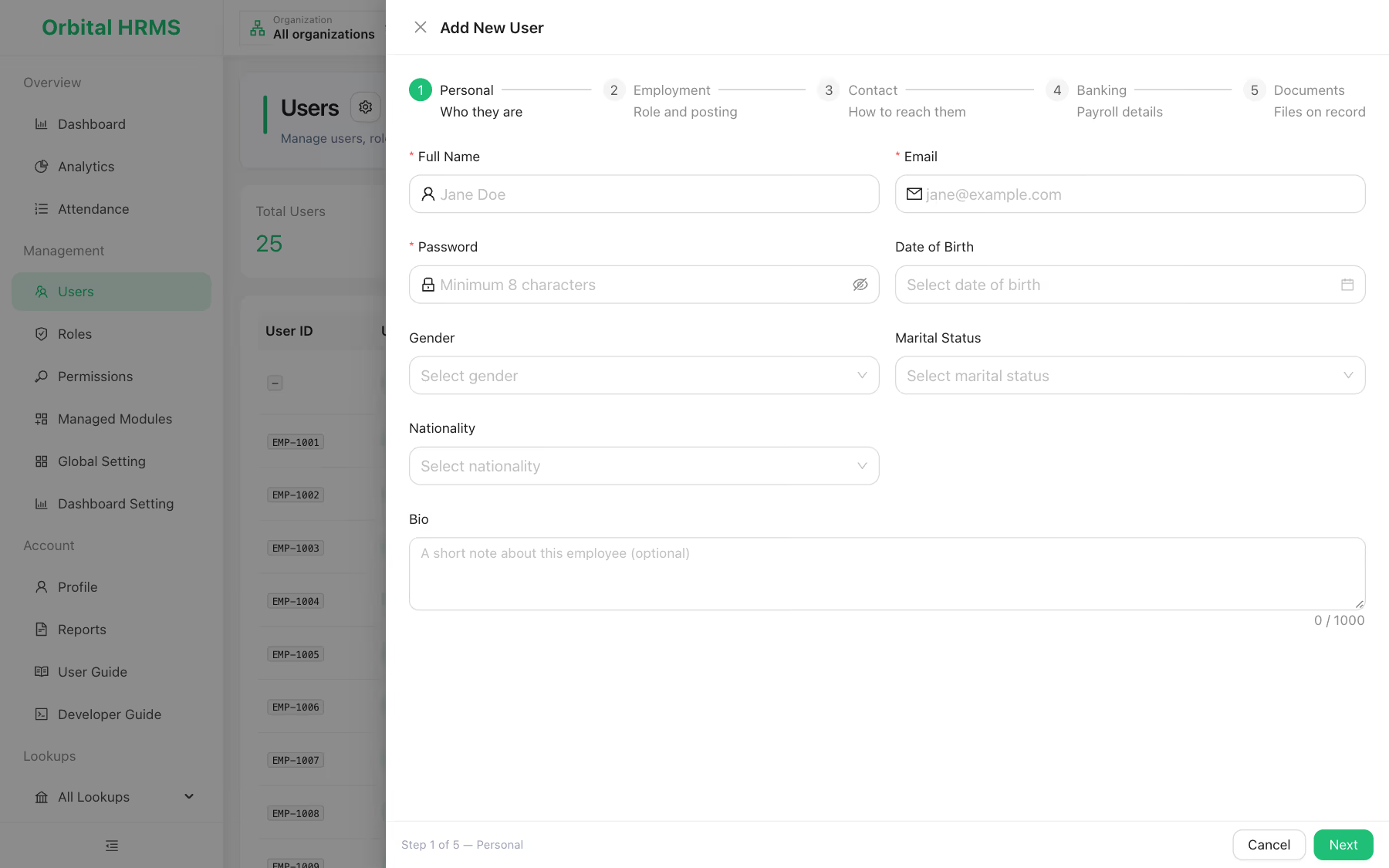
Five steps. Nothing forgotten.
A guided form walks HR through each part of the record, so a new joiner's file is complete on day one rather than chased for weeks.
- ✓ Personal: name, gender, date of birth, marital status, nationality
- ✓ Employment: employee code, department, designation, reporting manager, employment type, work location, joining and probation dates
- ✓ Contact: phones, personal email, address and emergency contact
- ✓ Banking: bank, branch, account title, account number, IBAN and tax number
- ✓ Documents: files on record with issue and expiry dates
Your org chart, as data.
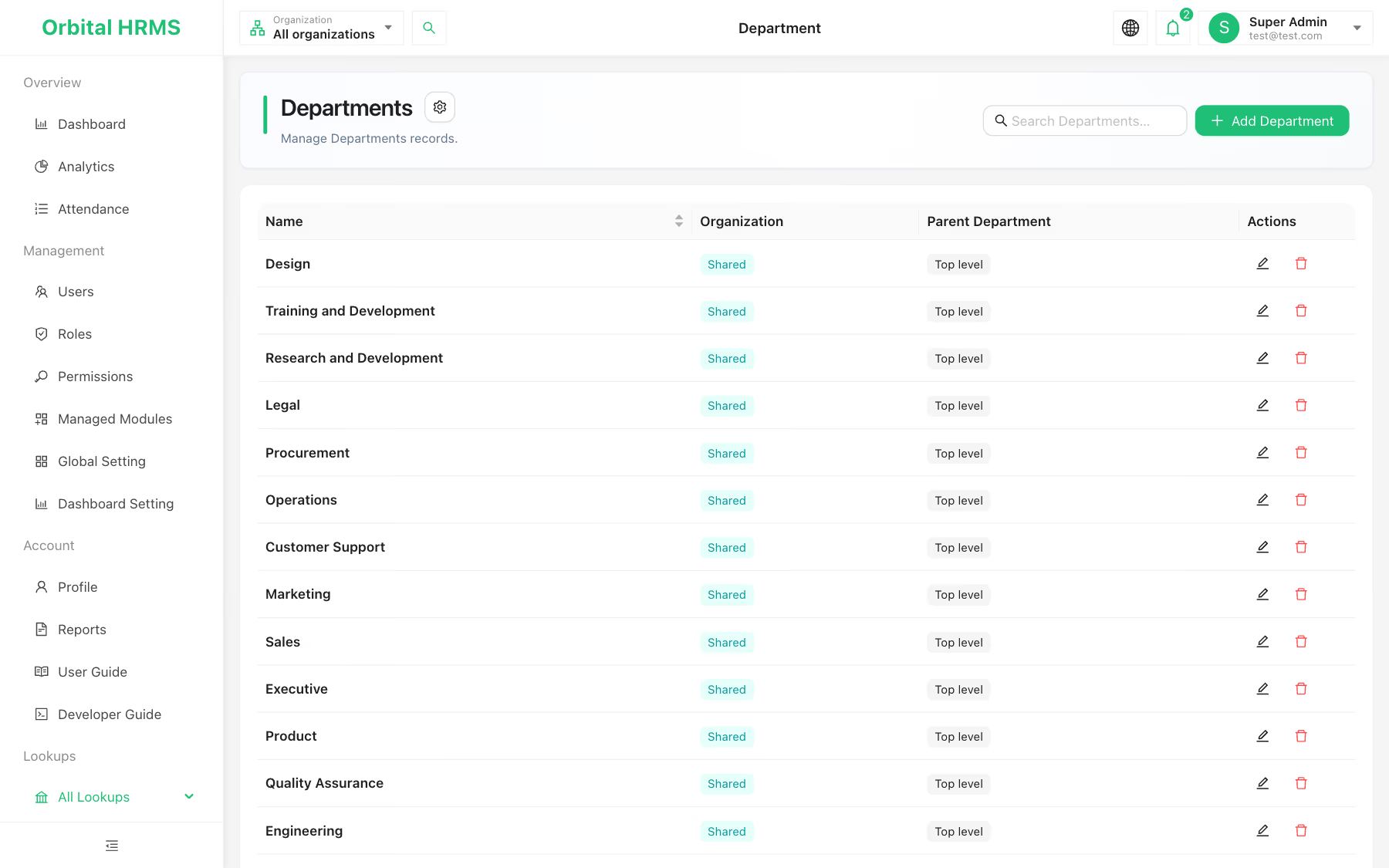
Model the company the way it really runs. Organizations can sit under a parent group, departments can nest under other departments, and every employee has a designation and a reporting manager.
- ✓ Several companies or branches in one HR management system
- ✓ One person can belong to more than one organization
- ✓ Departments shared across the group or owned by one company
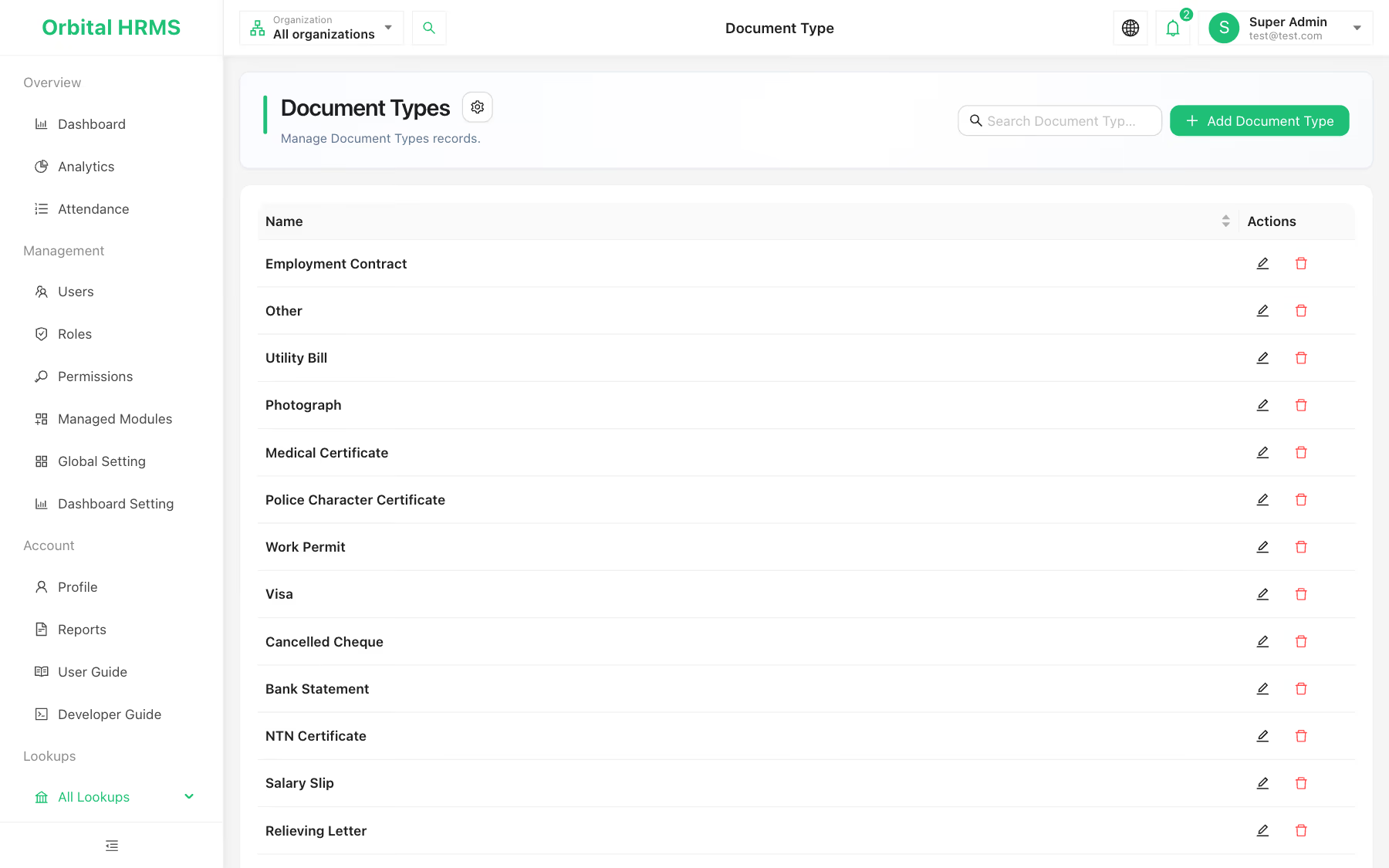
Every contract and permit, filed where it belongs.
Define your document types once, from employment contracts to work permits, then attach files to each employee with the date issued and the date it expires.
- ✓ Document types you control, ready-made ones included
- ✓ Issue and expiry dates on every file
- ✓ Stored in your company's own file storage, never shared with other customers
The employee database, field by field.
A good employee database software answers any HR question without opening a second file. Here is what each Orbital HRMS record covers.

| Area | What is stored | Why it matters |
|---|---|---|
| Identity | Name, employee code, gender, date of birth, nationality, photo | One unique person across every module |
| Job | Organization, department, designation, reporting manager, employment type, location | Drives access, reporting lines and team views |
| Dates | Joining date, probation end date | Feeds leave rules that start after probation or pro-rate on joining |
| Contact | Phones, personal email, address, emergency contact | Reach people and their families when it counts |
| Pay details | Bank, branch, account title, account number, IBAN, tax number | Ready for payroll. Account numbers and IBANs are encrypted at rest |
| Documents | Typed files with issue and expiry dates | Proof of right to work and signed terms, in one place |
| Access | Roles and account status: active, deactivated or blocked | Leavers lose access the moment HR changes their status |
What changes when records live in one place.
Answers in seconds
Search the directory by name and switch between list and card views instead of hunting through folders.
Safer offboarding
Deactivate or block a leaver and their sign-in stops at once, with the reason kept on record.
Need-to-know access
Roles decide who can view, add, edit or delete employee records, checked on the server every time.
Clear reporting lines
Every employee has a department, a designation and a reporting manager, so "who reports to whom" is never a guess.
Policies that know the facts
Joining and probation dates are the inputs leave policies use for pro-rating and eligibility.
Faster support
A Super Admin can view the system as an employee to fix an issue, with a visible banner and a logged session.
Employee management software, answered.
Answered by the Orbital Technologies product team. Last reviewed November 2026.
Back to Orbital HRMS →