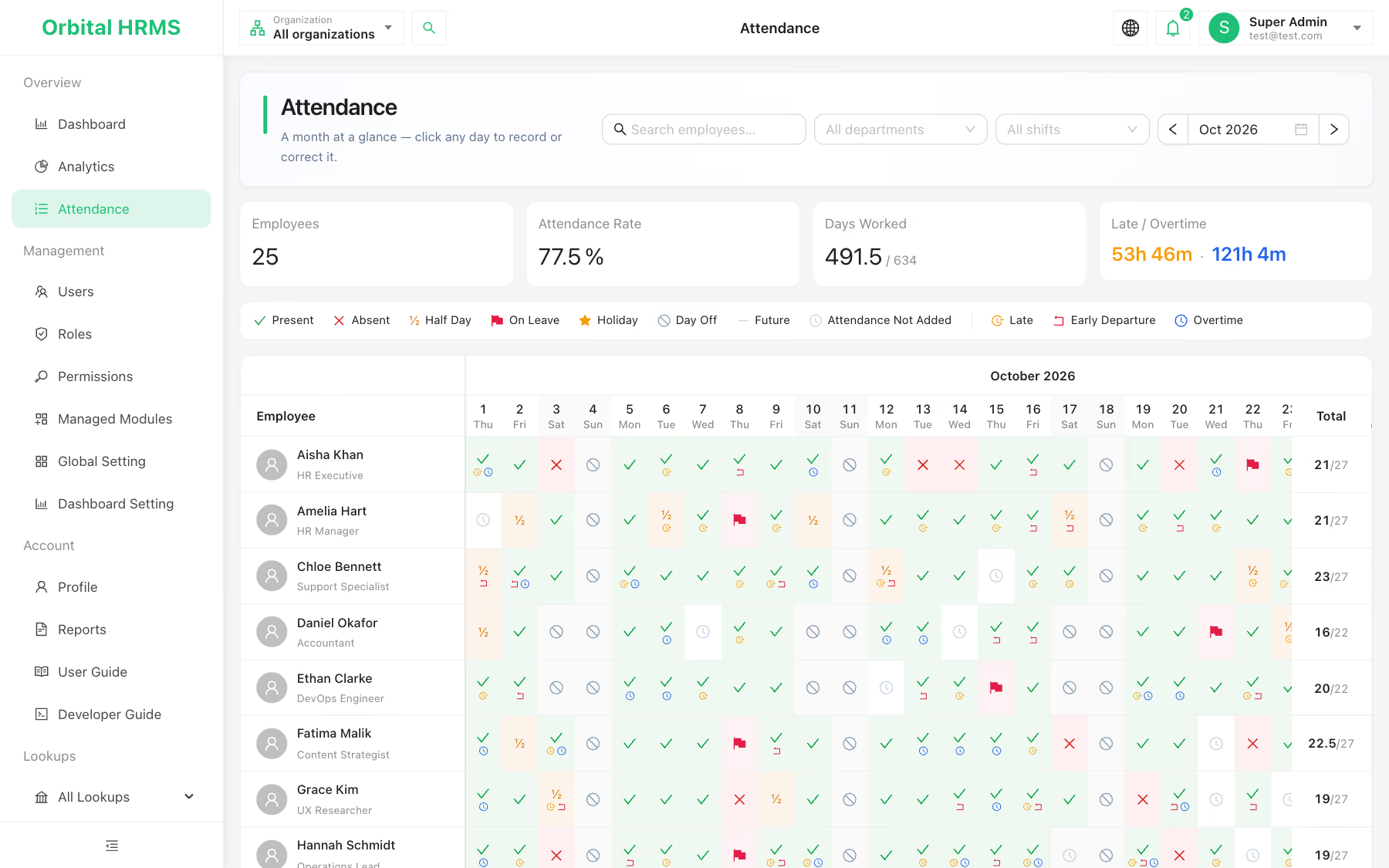
A month of demo attendance: 77.5% attendance rate, 491.5 days worked, and late and overtime totals worked out on screen.
What is an attendance management system?
An attendance management system records when each employee worked, was absent, on leave or off, and compares it with their scheduled shift, so HR can see attendance rates, lateness and overtime without adding up timesheets by hand. In Orbital HRMS it sits on top of the employee record and the shift roster, so every day is judged against the right schedule.
Every person, every day, one screen.
Rows are employees, columns are days. Filter by department or shift, search by name, step between months, and read the month's totals at the top.
- ✓ Attendance rate, days worked against days scheduled, total late and overtime time
- ✓ Per-employee monthly totals, half days counted as half
- ✓ Days with no entry flagged so nothing slips through

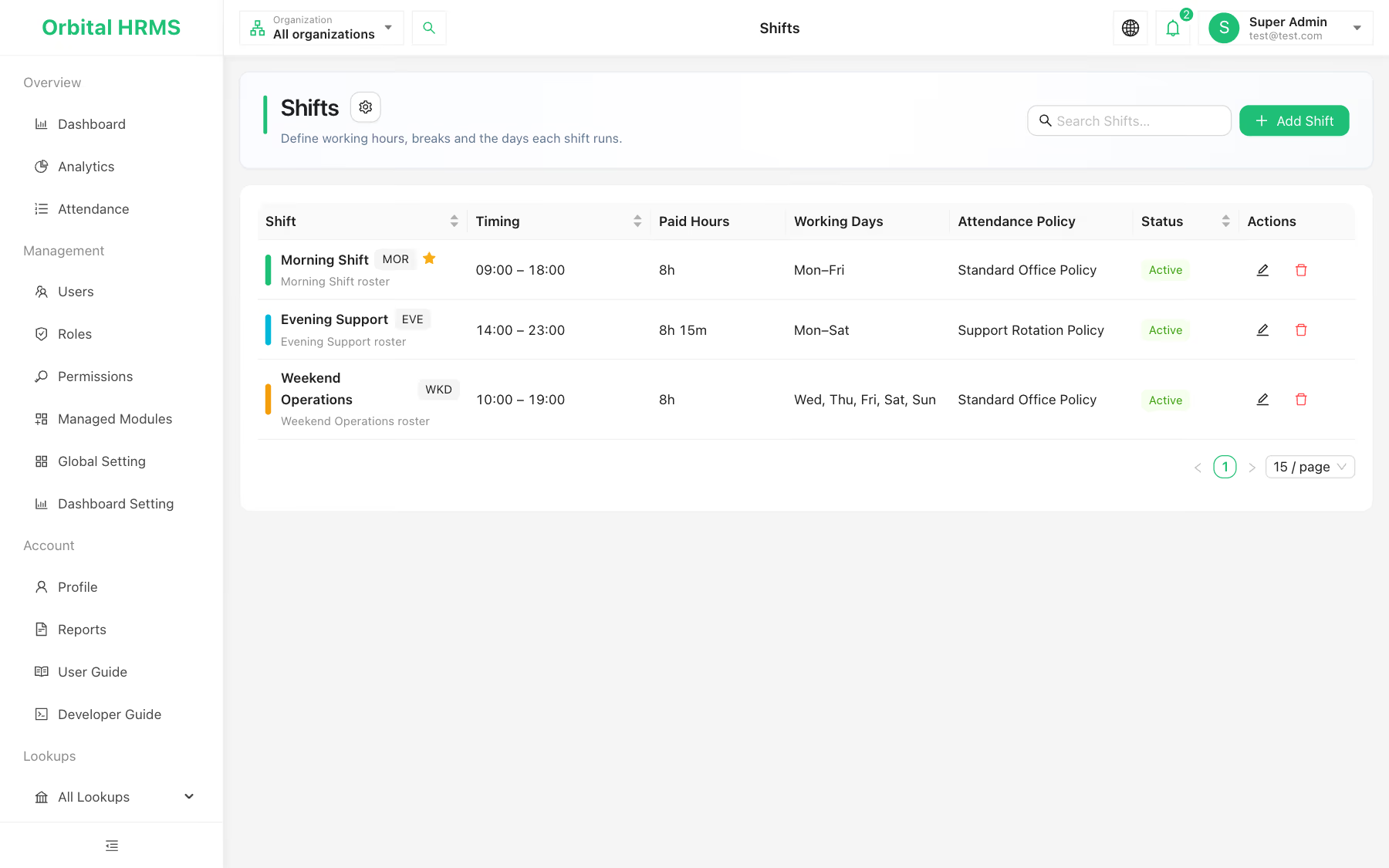
The roster decides what a working day is.
Each employee is assigned a shift. Its working days tell the matrix when someone is expected in, so a Sunday off is a day off, not an absence.
- ✓ Start and end times, unpaid break and paid hours per shift
- ✓ Any mix of working days, including weekend rosters and overnight shifts
- ✓ Each attendance entry keeps the shift in force that day, so history survives roster changes
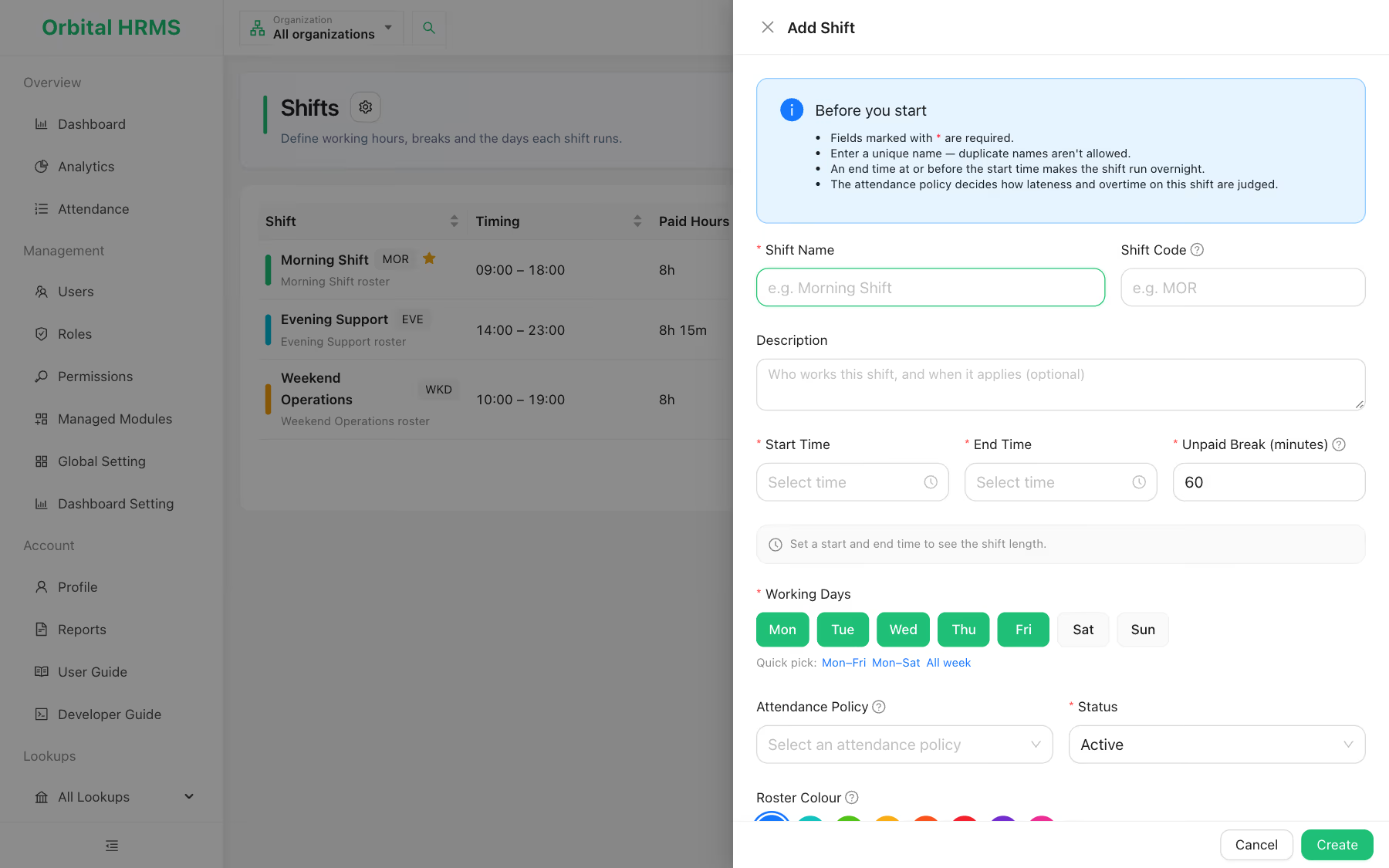
Build a shift in under a minute.
Name it, set the hours and break, tick the working days or use a quick pick such as Mon to Fri, link an attendance policy and choose a roster colour.
- ✓ Live shift length as you type the times
- ✓ One default shift for new joiners
- ✓ Active or inactive status, so old rosters stay on record
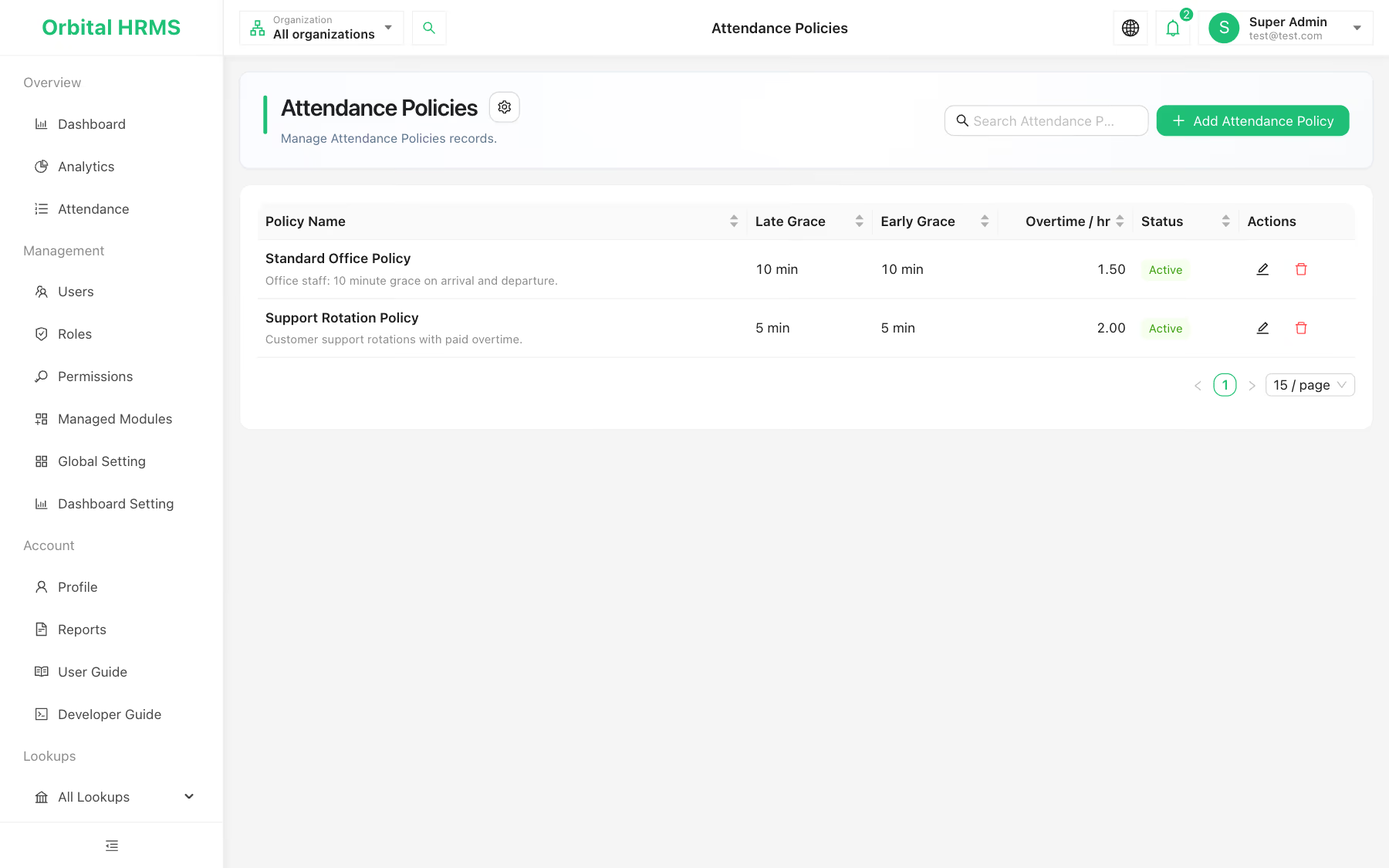
One rulebook per kind of team.
Office staff and support rotations rarely share the same rules. Write a policy for each with its late arrival grace, early departure grace and overtime rate, then link it to the shifts it governs.
- ✓ Grace minutes for arrival and departure
- ✓ An overtime rate per hour, such as 1.5x or 2x
- ✓ Every shift shows which policy it follows
Six statuses, three time markers.
Click any cell to record the day: the status, check-in and check-out times, late minutes, early departure, overtime and a note. One entry per employee per day keeps the record clean.
Keeping accurate time records is a legal duty in many countries. In the US, the Department of Labor asks employers to keep the records wages are based on, such as time cards and work schedules, for at least two years.

| Marker | Meaning | Counts toward |
|---|---|---|
| Present | Worked the scheduled shift | A full day worked |
| Half day | Worked part of the shift | Half a day worked |
| Absent | Expected in, did not work | Lowers the attendance rate |
| On leave | Approved time away | Shown apart from absence |
| Holiday | Company or public holiday | Kept apart from absence |
| Day off | Not a working day on the employee's shift | Filled in from the roster automatically |
| Late | Minutes after shift start | Monthly late total |
| Early departure | Left before shift end | Shown on the day |
| Overtime | Minutes worked past shift end | Monthly overtime total |
Time and attendance software that saves month end.
Lateness in plain sight
Late arrivals and early departures show on the exact day, and the monthly totals sit at the top of the screen.
Payroll-ready totals
Days worked, half days and overtime minutes per employee, ready to hand to whoever runs payroll.
Fair to every roster
Weekend teams and weekday teams are each measured against their own working days.
Gaps you can see
Scheduled days with no entry are marked, so HR fixes them before the month closes, not after.
Team-level filters
Narrow the matrix to one department or one shift to spot a pattern in seconds.
Controlled edits
Only roles with attendance permissions can record, edit or delete a day.
Employee self clock-in and leave requests that flow straight into the matrix are on the Orbital HRMS roadmap. Today HR records and corrects attendance in the matrix.
Attendance management, answered.
Answered by the Orbital Technologies product team. Last reviewed November 2026.
Back to Orbital HRMS →