Short answer: to optimize your Google Business Profile, verify it, use your real business name, choose the most specific category, fill in every field (address or service area, hours, phone, website, services), add real photos, and collect and reply to reviews. Google says local results are based mainly on three things: relevance, distance and prominence. You cannot change distance, and Google says there is no way to pay for a better local ranking, so the work is in being relevant and prominent. The 10 steps below cover both, using Google's own guidelines.
This guide is for local businesses and service-area businesses that want to show up in Google Maps and the local results at the top of Google Search.
How Google ranks local businesses
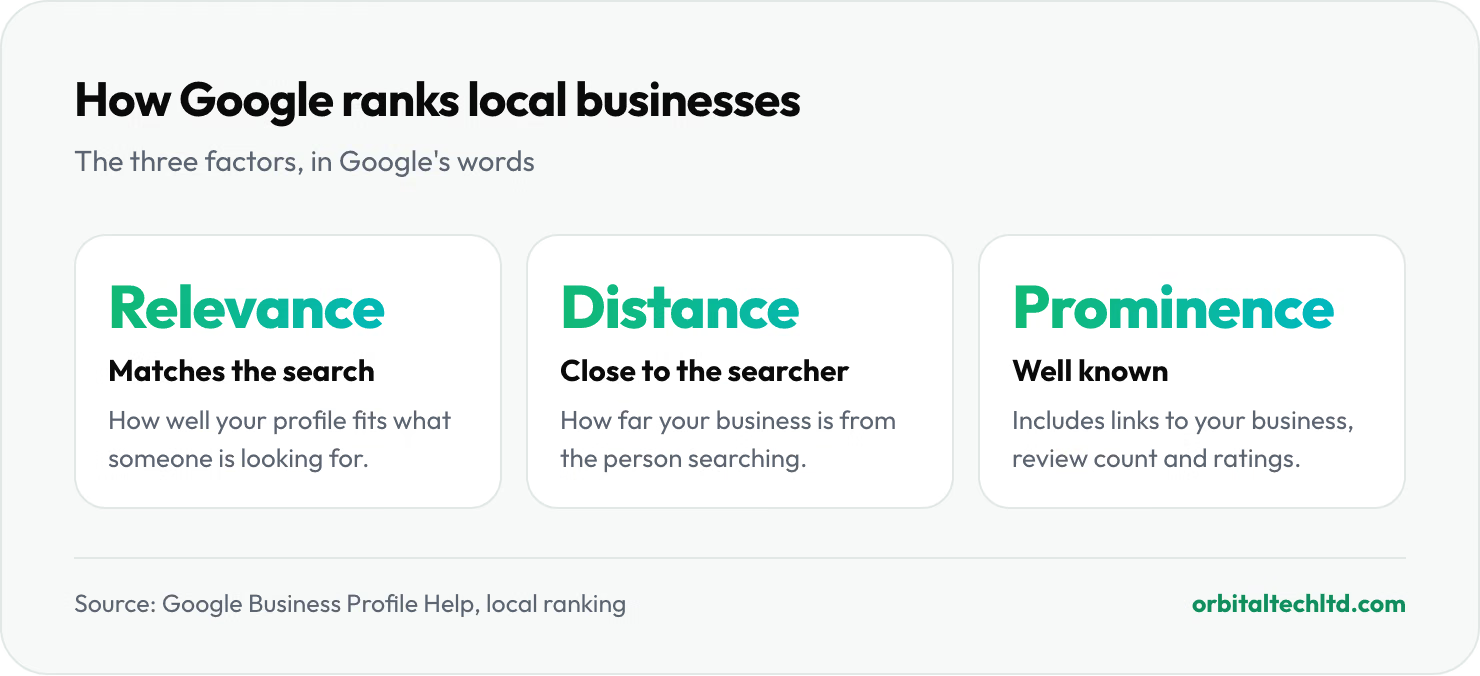
According to Google's own help page on local ranking:
- Relevance is how well your Business Profile matches what someone is searching for.
- Distance is how far your business is from the person searching.
- Prominence is how well known your business is, which Google says also considers links to your business from other websites, and how many reviews you have and their ratings.
Google also states plainly that "there's no way to request or pay for a better local ranking on Google."
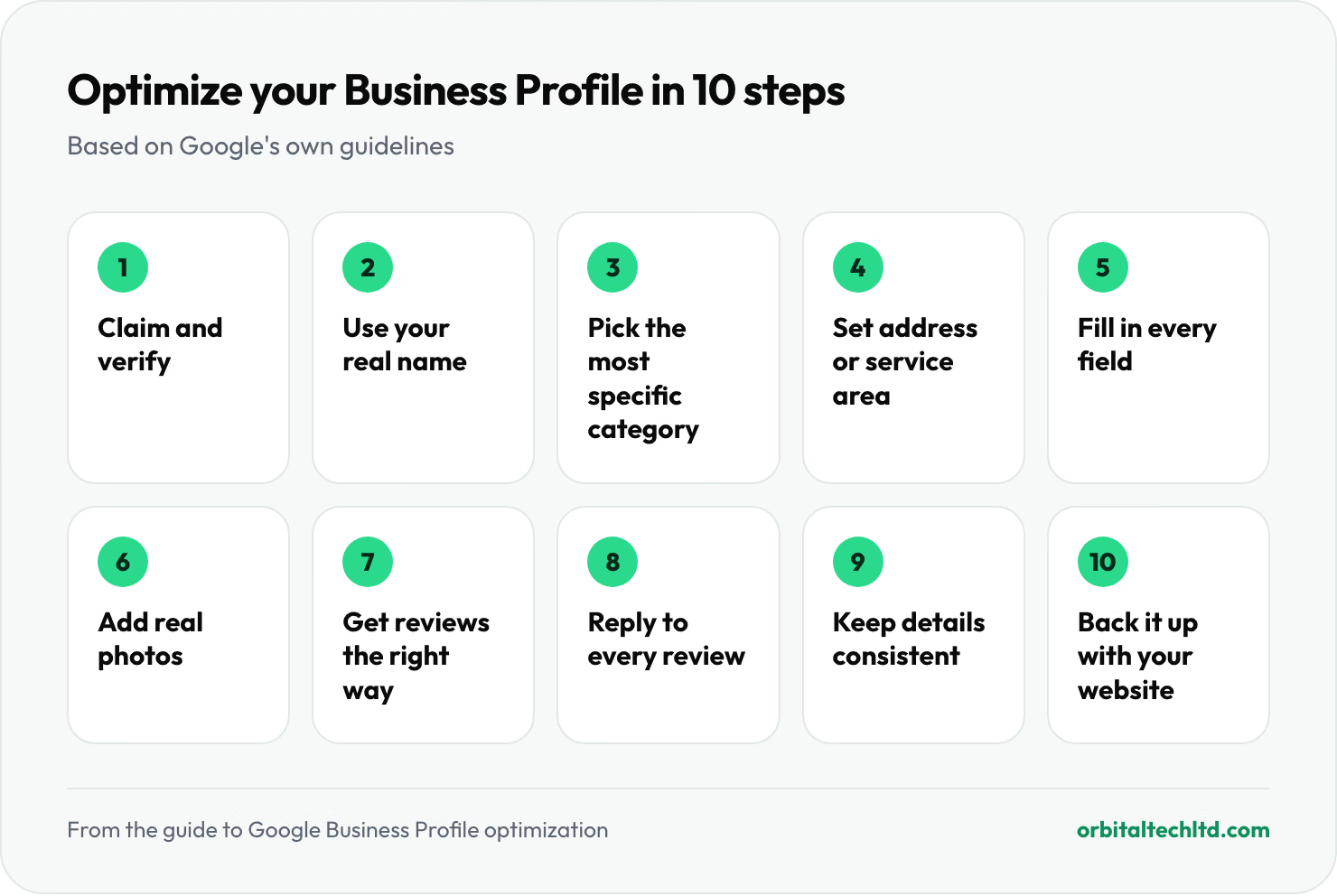
Step 1: Claim and verify your profile
Search for your business on Google or go to business.google.com, claim the profile, and complete Google's verification. Google says verifying your business helps it recognize you as authorized to represent it.
Step 2: Use your real business name, nothing more
Google's guidelines say your name should reflect your business's real-world name, as used on your storefront, website and stationery. Do not add keywords, locations, taglines or phone numbers to the name. Google says adding unnecessary information can lead to your profile being suspended.
Step 3: Pick the most specific category
Your primary category is one of the strongest relevance signals. Google's guidelines say to use the fewest categories needed to describe your core business, to choose categories that are as specific as possible, and not to use categories as keywords. "Family law attorney" beats "lawyer" if that is what you do.
Step 4: Get your address or service area right
- With a storefront or office customers visit: use your precise, real address. Google does not accept PO boxes or remote mailboxes.
- If you travel to customers (plumbers, cleaners, contractors): set a service area and hide your street address, as Google's guidelines require for service-area businesses.
- One profile per location. Duplicate profiles for the same place break the guidelines.
Step 5: Fill in every field
Google says to keep your business information complete and accurate. That means:
- Hours, including special hours for holidays, so you never show as open when you are closed.
- Phone number and website, linking to the most relevant page, such as a location page for multi-location businesses.
- Services or products, with short descriptions in your customers' own words.
- Attributes such as accessibility, parking or Wi-Fi, where they apply.
- A business description that says plainly what you do and who you serve.
Step 6: Add real photos and videos
Google lists adding photos and videos among its tips for improving your local ranking. Show your storefront, your team, your work and your products. Real photos help customers recognise your business and trust it; stock images do neither.
Step 7: Get more reviews, the right way
Reviews feed directly into prominence. Ask every happy customer, using the review link or QR code Google provides. Google's content policy sets clear limits:
- No incentives. Do not offer payment, discounts, free goods or services in exchange for reviews.
- No review gating. Do not ask only happy customers, or discourage negative reviews.
- No conflicts of interest. Reviews from employees, contractors or others with a relationship to the business are not allowed and are removed.
Step 8: Reply to every review
Google recommends replying to reviews. Thank people for positive ones. For negative ones, reply calmly, acknowledge the issue and say what you will do, without sharing customers' personal details. Future customers read your replies as much as the reviews.
Step 9: Keep your details consistent across the web
Use the same business name, address and phone number on your website, social profiles and directory listings as on your Business Profile. Consistent details make it easier for Google to connect mentions of your business, and links from other sites count toward prominence.
Step 10: Back it up with your website
Your profile and your website work together. Give each service and each location its own page, with your name, address and phone number on it, and link your profile to the most relevant one. Our guide to SEO for small business covers the website side step by step.
Mistakes that can get a profile suspended
- Adding keywords or locations to the business name
- Using a virtual office, PO box or an address you do not operate from
- Creating several profiles for the same location
- Buying reviews, offering incentives or posting reviews from staff
How long does it take to see results?
Fixes to your category, details and photos can be picked up quickly, but reviews and links build prominence over months. Track your progress in the profile's performance report, which shows how people found you and what they did: calls, website visits and direction requests.
Local SEO at Orbital
Our local SEO services cover Google Business Profile optimization, reviews, citations and location pages, on monthly plans from $1,200/mo. If you sell online as well, see our SEO services.