Short answer: a WMS, or warehouse management system, is software that runs the work inside a warehouse. It records what stock arrives, where each item is stored, what needs picking for each order, and what has shipped, usually with barcode scanners so every movement is checked. WMS stands for warehouse management system. Businesses use one to stop losing stock, ship orders accurately and know exactly what they have and where.
This guide explains what a WMS does, how it differs from an ERP and inventory software, the main types, the signs you need one, and what to look for when choosing.
What a WMS does
Most warehouse management systems cover the same core jobs:
- Receiving: checking inbound stock against what was expected, by scanning it in, and flagging shortages or damage.
- Putaway and locations: telling staff where to store each item and recording the exact shelf, bin or pallet location.
- Inventory tracking: live stock levels by item and location, with cycle counts to keep them accurate.
- Picking: building pick lists for orders, often in the order staff walk the aisles, and confirming each pick with a scan.
- Packing and shipping: checking the order is complete, printing carrier labels and recording tracking numbers.
- Returns: receiving returned items, deciding what goes back on the shelf, and updating stock.
- Reporting: throughput, accuracy, stock ageing and, for 3PLs, what to bill each client.
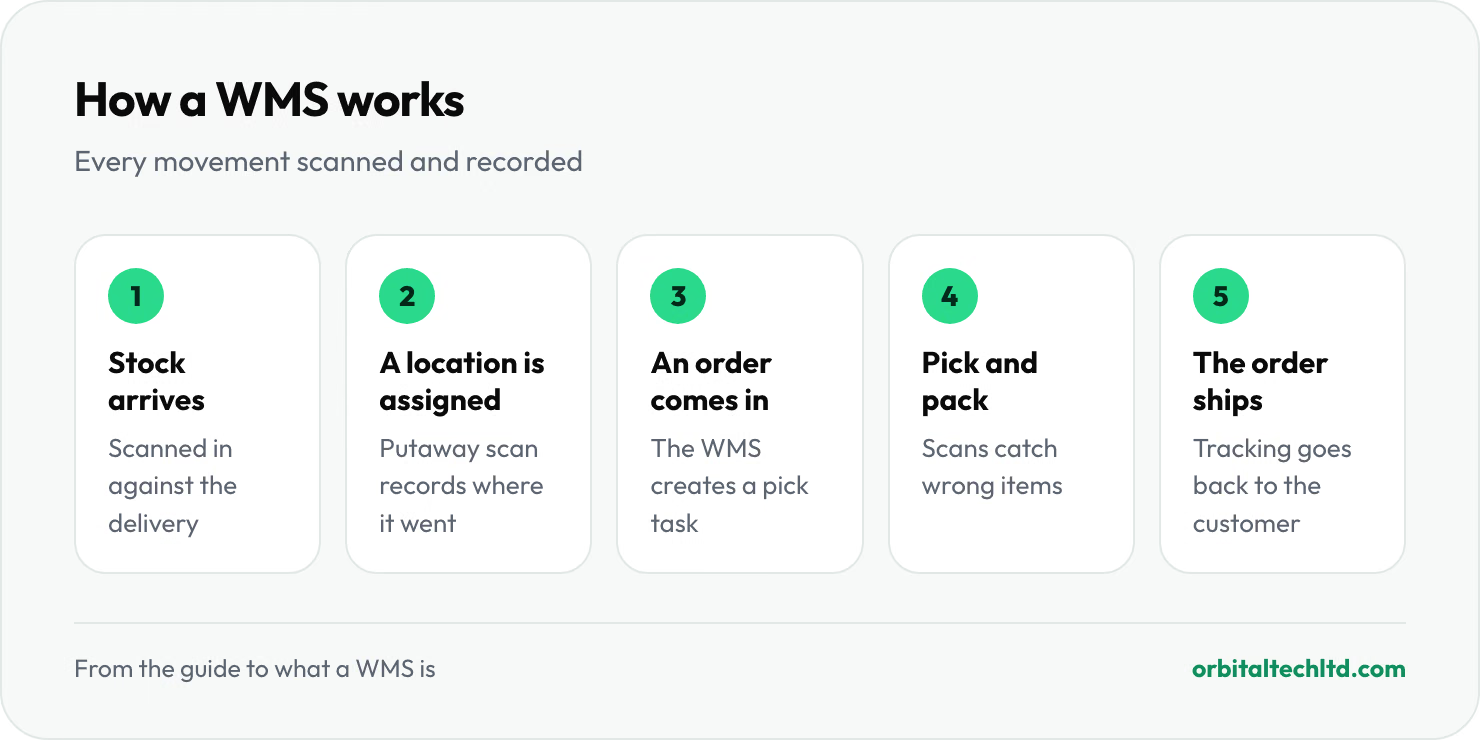
How a WMS works, step by step
- Stock arrives and staff scan it in against the expected delivery.
- The WMS assigns a location, and the putaway scan records exactly where it went.
- An order comes in from your store, marketplace or ERP, and the WMS creates a pick task.
- Staff pick and pack, scanning each item so the wrong product or quantity is caught before it ships.
- The order ships with a carrier label, and tracking goes back to the customer and the sales channel.
WMS vs ERP vs inventory management software
| System | Main job | Where it stops |
|---|---|---|
| Inventory management software | How much stock you have and when to reorder | Usually doesn't direct work on the warehouse floor |
| WMS | Running the warehouse: receiving, locations, picking, packing, shipping | Not your accounts, purchasing or wider business |
| ERP | Running the business: finance, purchasing, sales, often basic inventory | Warehouse features are often basic without a WMS |
Many businesses use a WMS alongside an ERP or accounting system: the ERP owns the money and purchasing, the WMS owns the physical stock, and the two sync orders and stock levels.
Types of WMS
- Cloud WMS: hosted by the vendor and paid for by subscription. Quick to start and updated for you; the common choice for small and mid-sized warehouses.
- On-premise WMS: installed on your own servers. More control, but more upfront cost and IT work.
- ERP warehouse modules: the warehouse features inside an ERP. Fine for simple operations, often limited for high order volumes.
- WMS for 3PLs: built for warehouses that store stock for many clients, with each client's stock kept separate, client portals, and billing for storage and handling.
- Custom WMS: built around an unusual operation when no product fits, usually at a higher cost.
Signs you need a WMS
- Stock counts don't match the system, and you find out when a customer orders something you don't have.
- Staff spend time searching for items, because only experienced people know where things are.
- Wrong items or quantities ship, and returns and re-shipments eat your margin.
- Spreadsheets run the warehouse, and orders from several stores or marketplaces are re-typed by hand.
- You run a 3PL and billing each client for storage and handling takes days every month. Our guide to what a 3PL is covers how that billing usually works.
Benefits of a WMS
The main gains come from scanning every movement. Picking accuracy improves because the system catches the wrong item before it ships. Stock levels stay reliable, so you stop overselling. New staff become productive faster, because the system tells them where to go. And customers get tracking automatically instead of emailing to ask.
How to choose a WMS
- Integrations: does it connect to your store, marketplaces, carriers and accounting software without manual exports?
- Fit for your operation: single brand or many clients, parcels or pallets, one warehouse or several.
- Scanning and hardware: does it work with the scanners and printers you have, or a phone app?
- Billing, for 3PLs: can it charge storage, handling and extras per client automatically?
- Setup time: how long until you are live, and who trains your team?
- Total cost: subscription, setup, hardware and per-user or per-order fees, priced on your real volumes.
Spiffy: a WMS for 3PLs, forwarders and brands
Spiffy is the warehouse management system we built and run. It covers scan-based intake, storage billing, consolidation, multi-carrier shipping and client portals, and it takes orders in from Shopify, Amazon, WooCommerce, eBay, Etsy and TikTok Shop, with each client's data kept separate. If your operation needs something more tailored, our logistics software development work covers custom tools and integrations.