Short answer: BPO, or business process outsourcing, means paying an outside company to run a business function for you, such as customer support, bookkeeping, data entry or recruitment screening. The provider hires, trains and manages the people doing the work. You set the rules, the standards and the budget, and you pay for the output or the seats you use.
Big companies have outsourced call centres and payroll for decades. What has changed is that small businesses can now do the same thing at small scale: one or two agents rather than a building full of them. This guide explains how BPO works, the main types, what it costs compared with hiring, when it makes sense for a small business, and how to choose a provider.
How business process outsourcing works
A BPO arrangement has three parts, whatever the function:
- A defined process. You agree what the team does and what it does not: which channels or tasks, which hours, what they can decide on their own and what they hand back to you.
- People run by the provider. The provider recruits, trains, schedules and supervises the team, and covers holidays, sick days and staff turnover. You do not manage individual agents day to day.
- Agreed measures. Response times, accuracy, volumes handled or customer satisfaction, written into the contract and reported on regularly, so you can see whether the work is being done well.
The best arrangements run inside your own tools. Agents work in your helpdesk, your accounting software or your CRM, so the history and the data stay with you if you ever change provider.
Types of BPO: front office and back office
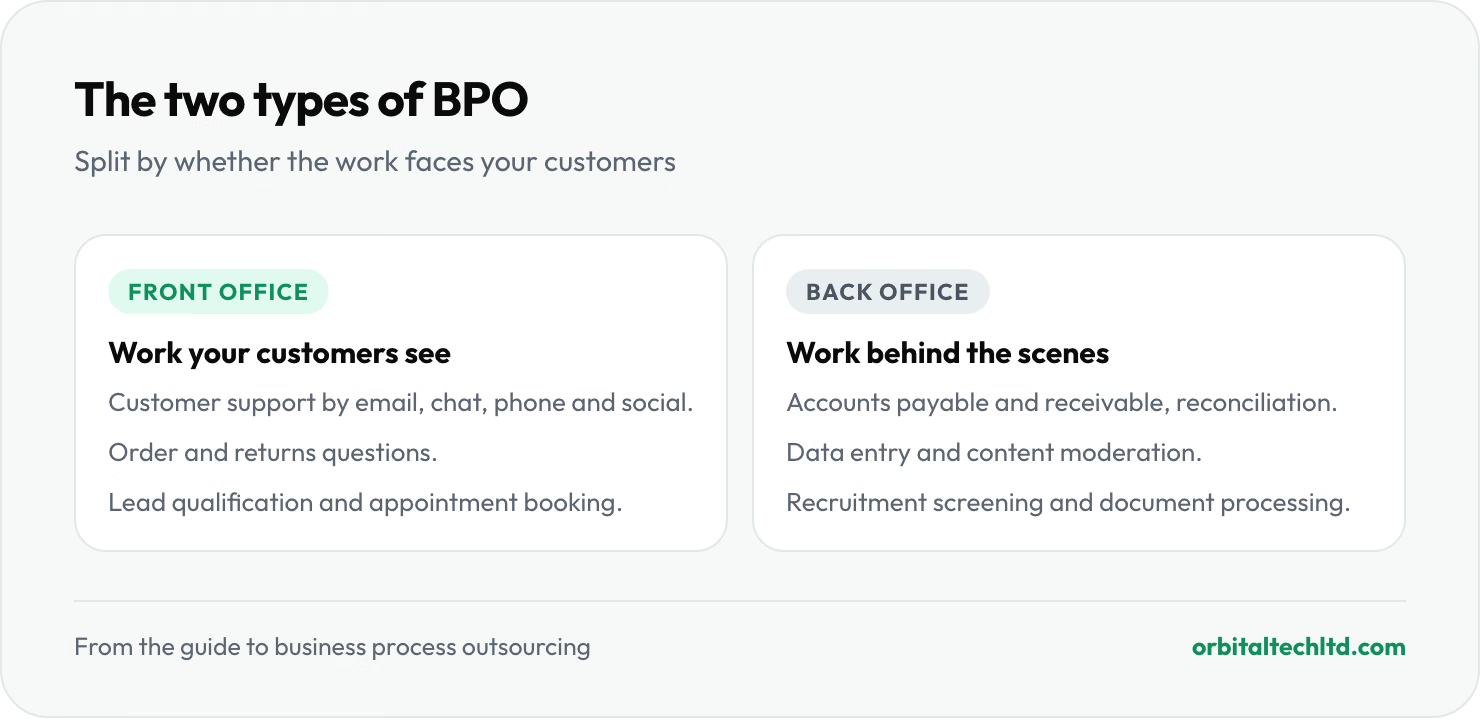
BPO is usually split by whether the work faces your customers.
| Type | What it covers | Typical tasks |
|---|---|---|
| Front office | Work your customers see | Customer support by email, chat, phone and social; order and returns questions; lead qualification; appointment booking; sales follow-up |
| Back office | Work that keeps the business running behind the scenes | Accounts payable and receivable, reconciliation, payroll support, data entry, content moderation, recruitment screening, document processing |
Front-office BPO
Customer support is the most common first step for small businesses. Volume is steady, the work can be written down in help docs and rules, and slow replies cost sales. Front-office work needs the most care in choosing a provider, because the team speaks for your brand.
Back-office BPO
Back-office work is often easier to hand over, because it follows clear rules and can be checked. Invoices either reconcile or they don't. It is also where outsourcing frees up the most founder time, since this is the admin that tends to land on the owner's desk in the evenings.
Onshore, nearshore and offshore
BPO is also described by where the team sits. Onshore means a provider in your own country. Nearshore means a nearby country with a similar time zone. Offshore means further away, usually in a country with lower living costs. Offshore is the cheapest, and with overlap hours agreed up front, time zones can be a benefit: an offshore team can cover your evenings and weekends during its own working day.
How much does BPO cost?
Providers price BPO in four main ways. Many combine them.
| Pricing model | How you pay | Best for |
|---|---|---|
| Per seat (per agent) | A monthly fee for each full-time agent assigned to you | Steady, predictable work such as a support queue |
| Hourly | The hours worked, often with a monthly minimum | Part-time or variable work |
| Per transaction | A price per ticket, call, invoice or record | High-volume, uniform tasks such as data entry |
| Outcome-based | A fee tied to results, such as qualified leads or resolved tickets | Work with a clear, measurable result |
Rates vary widely by location, language, hours and how specialised the work is, so the useful comparison is not one provider against another but outsourcing against hiring. Here is the arithmetic for customer support.
What an in-house support agent costs
According to the US Bureau of Labor Statistics, the median pay for customer service representatives was $44,770 a year, or $21.53 an hour, in May 2025. Benefits such as health insurance, paid leave and payroll taxes made up 30% of private employers' total compensation costs in June 2026, also according to the BLS. Applying that average:
| Option | Estimated cost per year | Per month |
|---|---|---|
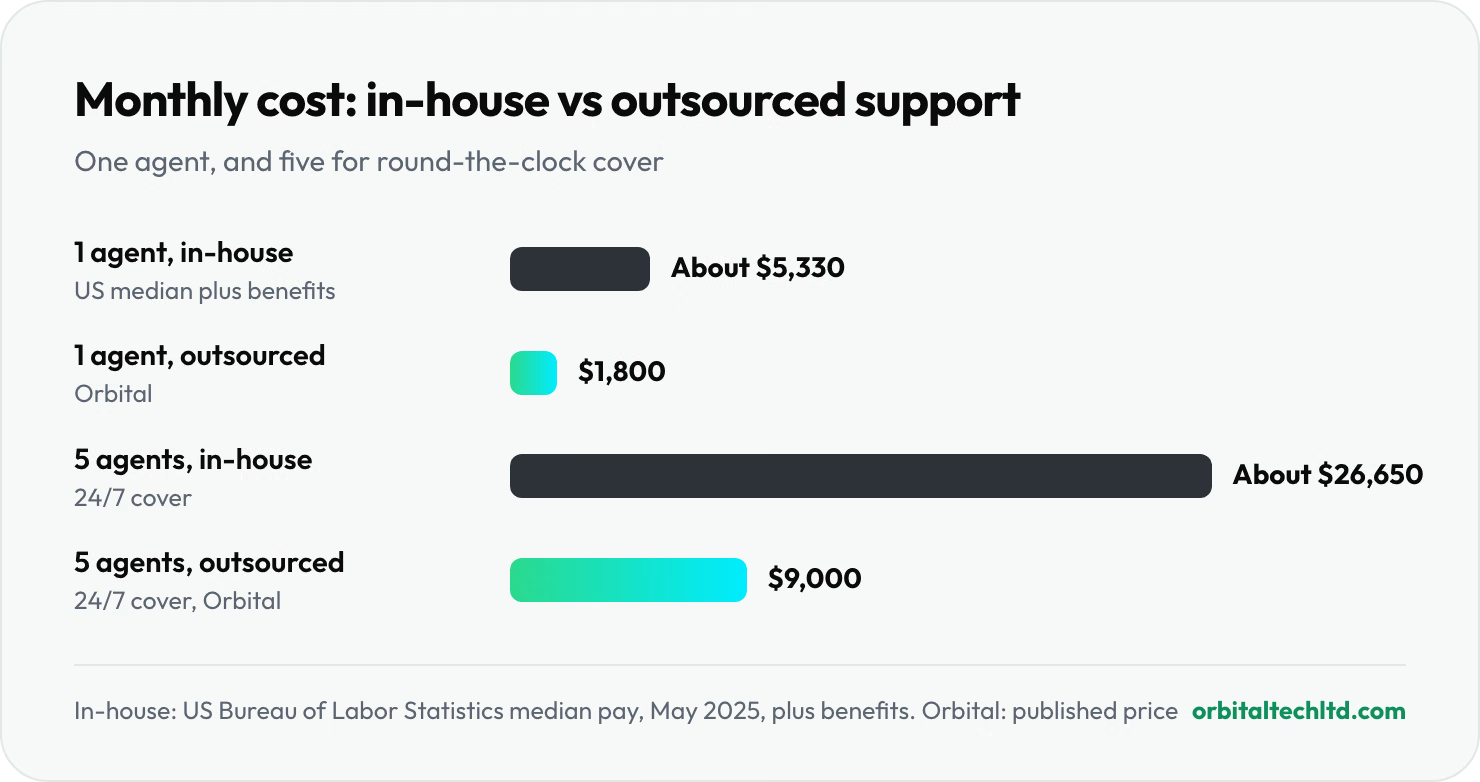
| In-house US support agent, median wage plus benefits | About $64,000 | About $5,330 |
| Full-time outsourced agent with Orbital | $21,600 | $1,800 |
The in-house figure still leaves out recruiting, training, software licences, equipment, management time and the cost of covering holidays and sick days. Those are the costs a BPO provider absorbs into its price.
The cost of covering every hour
The gap grows when you need longer hours. A week has 168 hours, and a full-time employee works about 40 of them, so round-the-clock cover takes more than four full-time people before you allow for holidays, sick days and breaks. In practice that means five. Five in-house agents at the median cost about $26,650 a month; five outsourced seats with us cost $9,000. Many businesses don't need 24/7 cover, but most do get questions in the evenings and at weekends.
When should a small business outsource?
Outsourcing works best for work that is repeated often, can be written down as rules, and is not the thing that makes your business different. Signs it is time:
- The founder is doing it. If you are answering support emails or chasing invoices at night, that is time not spent on sales, product or hiring.
- You need cover you can't hire for. Evenings, weekends, extra channels or seasonal peaks that don't justify a full-time hire for each.
- Volume is steady enough to describe. If you can say roughly how many tickets, invoices or leads come in each week, you can scope a team for it.
- Response times are slipping. Customers waiting a day for a reply, or leads going cold before anyone calls them back.
- Hiring is the bottleneck. Recruiting, training and keeping support or admin staff is taking more time than the work itself.
What to keep in-house
Keep the work that depends on judgement only you have: product decisions, key client relationships, complex technical support and anything that is genuinely your competitive edge. Many small businesses end up with a mix: a small in-house team for complex cases and key accounts, and an outsourced team for everyday questions, after-hours cover and overflow.
Benefits and risks of BPO
The benefits are the reasons people outsource in the first place: lower cost than hiring, cover across more hours and channels, the ability to add or remove seats as volume moves, and someone else handling recruitment, training and turnover.
The risks are real, and most come down to how the arrangement is set up:
- Quality and tone. An outside team won't know your product on day one. Budget for proper onboarding, and review conversations together for the first few weeks.
- Losing control of data. Keep the work in your own tools and accounts, with only the access each task needs, so you can switch access off at any time.
- Hidden costs. Setup fees, minimum terms, overtime and per-channel charges can change the real price. Ask for the total monthly cost in writing.
- Lock-in. Long minimum terms make it hard to leave a provider that isn't working. Check notice periods before you sign.
How to choose a BPO provider
Whoever you talk to, us included, these questions separate a good fit from a bad one:
- Do you work in our tools? Agents should use your helpdesk, inbox or accounting software, so the history stays with you.
- How do agents learn our business? Ask what onboarding looks like, how long it takes, and who checks the work before agents go live.
- Who reviews quality, and how often? You want a named person, regular conversation reviews and a way to feed back.
- Which hours and channels can one team cover? Including weekends, holidays and spikes, and how quickly seats can be added.
- What do you report on? Response times, volumes and contact reasons at minimum. Good reporting tells you what to fix in your product or process.
- How is data access controlled? Separate accounts you can switch off, and payment details kept out of reach entirely.
- What are the terms? The minimum term, the notice period and the total monthly cost, including any setup or overtime fees.
If you can, start with one function and a small number of seats. Prove the arrangement works, then extend it.
BPO or a virtual assistant?
A virtual assistant supports one person or a small team with a mix of tasks: inbox, calendar, research and admin. BPO runs a whole function, such as a support queue or accounts payable, with agents assigned to it and measures to hit. If you need help with your own workload, a VA is usually the better fit; our guide to how much a virtual assistant costs compares the options. If you need a process run end to end, that's BPO.
BPO with Orbital
Our BPO services for small businesses cover customer support by email, chat, phone and social, plus back-office work: lead qualification, finance operations such as AP/AR, reconciliation and dunning, data entry and moderation, and recruitment screening. It is billed by the seat, from $1,800 a month per full-time agent, and onboarding takes about 14 days. Agents work inside your own helpdesk and channels, and you can add or remove seats as your volume changes.
For the repeat questions, an AI assistant such as Omni Agent can answer from your help content and hand the rest to a person, so agents spend their time on the conversations that need judgement. See our pricing page for bundles with other services.